Coworker Agents: What Google’s New Gemini Agent Means for Work
Google's new Gemini agent can create AI teammates with their own work email, calendar and audit trail. Here is what coworker agents are, how they are governed and what is still unknown.

In this article
- What are coworker agents?
- How do coworker agents differ from task agents and chatbots?
- What can Google’s Gemini agent do?
- How coworker agents get an identity, email and permissions
- What safeguards has Google described?
- Who can use coworker agents today?
- What could this mean for everyday work?
- Questions to ask before you work alongside coworker agents
- What we still don’t know
- Coworker agents: FAQs
- Sources
Coworker agents: the short answer
Coworker agents are AI agents that join a team with their own work identity, including an email address, a calendar and storage, and keep a defined role over days or weeks. Google introduced them on October 8, 2026, as part of its new Gemini agent for businesses. They act under their own name, see only what people share with them and leave an audit trail.
Coworker agents are the newest twist in workplace AI, and the idea is easy to state. Instead of pasting a chatbot’s answer somewhere else, you give an agent a role, an inbox and a place in the company directory. After that, colleagues tag it in documents or chats, just as they would tag a person.
Google made the concept concrete at its Gemini at Work 2026 event. There, Google Cloud chief executive Thomas Kurian introduced a single Gemini agent for work. For now, the agent is launching for businesses first. However, TechCrunch reported that Google plans to bring it to consumers later, so the ideas behind it are worth understanding now.
This explainer covers what coworker agents are, how Google says they work, which safeguards it has described and what is still unknown. It is based on publicly documented capabilities, and TheJusGrow has not tested the product.
What are coworker agents?
Google describes a coworker agent as closer to a team member than a tool, because it keeps a job over time. In the company’s words, it has “a persistent, defined role” and keeps working across days, sessions and changing responsibilities.
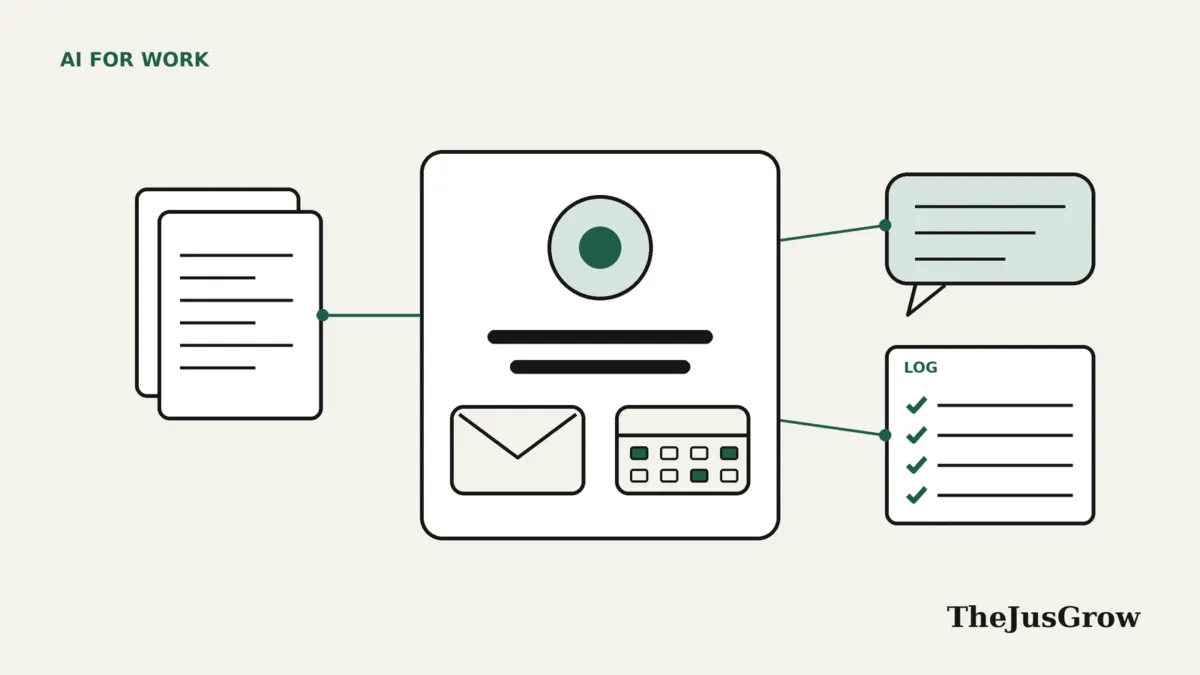
In practice, that means three things. First, the agent has its own identity. Google says coworker agents get their own Workspace account. That includes an email address, a calendar, Drive storage and a directory listing. Second, the agent has a role you describe in plain language, for example an events coordinator or a reporting assistant. Third, it keeps going. Google says the Gemini agent runs in the cloud, so long jobs continue after you close your laptop.
So a coworker agent is not a new AI model. Instead, it is a way of packaging an agent so that it fits the systems a company already uses to manage people. Those include accounts, sharing permissions, group chats and audit logs.
Google’s own example also helps. A marketing manager tags an events coordinator agent in a comment on a document. The agent then suggests an edit and also replies in the comment thread. As a result, its change appears under the agent’s own name in the version history.
How do coworker agents differ from task agents and chatbots?
The word “agent” now covers several different things, which is why the distinctions matter. Our guide to AI agents vs chatbots explains the basics. Coworker agents add another layer on top.
| Type | How long it exists | Whose identity it uses | Typical job |
|---|---|---|---|
| Chatbot | One conversation | Yours, because it only replies to you | Answering a question or drafting text |
| Task agent | One job, then it ends | Its own temporary identity, according to Google | Gathering figures for one report |
| Coworker agent | Ongoing, across days and projects | Its own named account with email and calendar | A standing events or reporting role |
Google says the Gemini agent can also create temporary, job-specific agents, each with its own identity. These helpers can then run steps in parallel or in sequence. TechWire Asia describes them as temporary task agents, in contrast to persistent coworker agents. Meanwhile, TechCrunch reported that a “tasks inbox” shows the agent’s reasoning, its delegation to these helpers and its progress.
The key difference, therefore, is accountability. A chatbot’s output becomes your work once you paste it. By contrast, a coworker agent’s actions are logged under the agent’s own name.
What can Google’s Gemini agent do?
However, coworker agents sit inside a broader product. Google describes Gemini as one agent for work that answers questions, handles knowledge work, creates images and media, and writes and runs code. Kurian’s framing is that you give it objectives rather than step-by-step instructions, and then you come back to finished work.
- Many entry points: Google lists web, iOS, Android, Windows and Mac apps, plus the command line, Google Workspace, Microsoft 365 and Slack.
- Long-running work: tasks can run for hours or days in the cloud. You can also schedule work or have the agent respond to events.
- Skills: reusable instructions and workflows that teams can publish to a company registry. Our explainer on Gemini skills covers a related consumer feature.
- Tools: connections to Workspace, Microsoft Office and Teams, Slack, Jira, Confluence, Salesforce, ServiceNow, Git and several databases, as well as any Model Context Protocol server.
- Model choice: Google says the agent can route work across Gemini models and Anthropic’s Claude models today. Google plans to add other private and open models later.
That tool list also explains why identity matters so much. After all, an agent that can reach email, chat, files and databases needs clear limits. If you are new to the protocol behind these links, see our guide to the Model Context Protocol.
How coworker agents get an identity, email and permissions
This is the genuinely new part, so it is worth reading closely. Google says coworker agents have dedicated identities, including their own email addresses on a separate agents subdomain, plus persistent storage. In another passage, the same post says the agent receives its own Workspace account with an email address, a calendar and Drive. The post does not say whether both passages describe the same address, so watch for fuller documentation.
Access, meanwhile, is the second piece. According to Google, a coworker agent acts under its own identity rather than yours. It also sees only what you or your team share with it. Access also follows the sharing and group membership a team already uses. In other words, if you would not share a folder with a new colleague, you should not share it with the agent either.
Google adds that every agent’s identity is cryptographically attested and given least-privilege permissions, which security administrators approve. Access to outside apps uses standards such as OAuth, the same sign-in method behind many “connect your account” buttons.
So why does this matter for ordinary employees? Because it changes who answers for a mistake. When an agent borrows your login, its errors look like yours in the logs. When it has its own account, Google says its actions are attributed to the agent, so administrators can switch it off without touching your access.
What safeguards has Google described?
Google frames governance around four questions: who the agent is, what it may do, what it did and what it should never touch. Here is how the company says it answers each one.
| Question | Control Google describes |
|---|---|
| Who is the agent? | A separate, cryptographically attested identity for every agent |
| What may it do? | Role-based permissions that security administrators approve |
| What did it do? | An audit trail that attributes every action to the agent, viewable in real time |
| What should it never touch? | Company-wide policies, such as blocking documents with a set classification |
In addition, two infrastructure pieces sit underneath. First, Google says agents run inside an Agent Sandbox with its own network boundary. Second, all traffic in, out and between agents passes through Agent Gateway, which Google calls an AI network firewall that applies company policy in real time.
Cost is a safeguard too. Google says administrators can set a hard spending cap for a project in the Cloud Billing console. When a project hits the cap, its agent pauses until someone resumes the work.
These are company claims, not independently verified results. That said, they map onto risks that worry security researchers, including prompt injection, where hidden instructions in a document or web page try to hijack an agent.
Who can use coworker agents today?
As of October 2026, the honest answer is: not most people. TechWire Asia reported that the new agent is initially available to enterprise customers in a private preview. Google’s post says specialised versions for financial services and legal work are now in preview, with government, healthcare and retail versions coming soon.
Google has not published pricing or a general availability date for the agent, and neither TechCrunch nor TechWire Asia reported one. Meanwhile, TechCrunch said Google plans to offer the agent to consumers later. Google has not said when, or in what form. Until then, our guide to AI agent pricing shows what the current plans from each company cost.
Google also named early testers such as On, Shopify and PayPal, as well as banks and retailers that use Gemini Enterprise. Still, a company named in a keynote is not proof of a full rollout, so treat the timeline as open.
For people who use Google’s consumer apps, the closest current relative is Gemini Spark, Google’s personal agent. It works on your behalf with your accounts, rather than as a separate colleague with its own.
What could this mean for everyday work?
What follows is editorial judgement, not reporting. If coworker agents work as described, the most obvious change is where requests go. Today, you might ask a colleague to pull together weekly numbers. Soon, you might email the reporting agent instead and get a reply when the job is done.
Good early candidates are jobs that are repetitive, well defined and easy to check, for example:
- Turning a long email thread into a status update in a shared document
- Drafting a weekly report from a spreadsheet the team already maintains
- Collecting event logistics, such as room bookings and attendee lists, into one tracker
- Answering routine project questions from documents the team has shared with it
By contrast, some work should stay with people. Decisions about hiring, pay, discipline, customer disputes and anything with legal consequences need human judgement and a person who answers for the outcome. Likewise, a person should check any message that commits the company to something before it goes out.
Finally, there is a social question. An agent with its own name and calendar can feel like a colleague, but it is not one. It cannot take responsibility, so someone on the team still has to own its work.
Questions to ask before you work alongside coworker agents
If your employer turns on coworker agents, these practical questions will help you work with them safely:
- Who owns the agent, and who reviews its work?
- What has been shared with it, and does it really need all of that?
- Can it send email or messages outside the company, or only draft them?
- Where is its activity logged, and who can read that log?
- What happens when it is unsure: does it stop and ask, or guess?
- How do you report a mistake, and how quickly can someone pause it?
Our guide to whether AI agents are safe covers the same principles for personal use. Similarly, the habit of reviewing which apps can reach your accounts applies at work too.
What we still don’t know
Several important details are still missing. First, pricing: Google described spending controls but not what the agent costs. Second, availability: there is no general release date. Third, accuracy: as TechWire Asia noted, Google has not provided production performance figures for the new agent.
Meanwhile, the consumer version is unclear. For example, a personal assistant with its own email address would raise new questions, such as who can write to it and what it can buy. TheJusGrow will return to the topic when Google publishes fuller documentation.
Key takeaways
- Coworker agents are persistent AI agents with their own work identity, including email, a calendar and storage.
- Google introduced them on October 8, 2026, as part of the Gemini agent for businesses.
- They see only what people share with them, and Google says their actions are logged under the agent’s own name.
- As of October 2026, the agent is in preview for enterprises, with no public pricing or release date.
- A person should still own, review and answer for an agent’s work.
Coworker agents: FAQs
It is a persistent AI agent with its own Workspace identity, including an email address, a calendar and Drive storage. Colleagues can add it to chats or tag it in documents, and it acts under its own name, according to Google.
Not yet. As of October 2026, Google is offering the Gemini agent to businesses first, in preview. TechCrunch reported that Google plans to bring the agent to consumers later, but Google has not announced a date.
Google says each agent has its own verified identity, limited permissions, an audit trail and policy controls. These are company claims. Like any agent, it can still make mistakes, so people should review its work and limit what it can reach.
Google presents them as teammates for defined roles. In practice, they suit repetitive tasks that are easy to check. Decisions with legal, financial or personal consequences still need a person who is accountable.