What Is MCP? The Model Context Protocol, Explained for Non-Developers
MCP is the plumbing that lets AI agents plug into your apps. You'll rarely see it — but it decides which tools your AI can use, and it's worth understanding before you click 'connect'.

The Model Context Protocol: the short answer
The Model Context Protocol (MCP) is an open standard that lets AI applications connect to outside tools and data (your files, calendar, a company database, a website’s services) in a consistent way. Anthropic introduced it in November 2024; it was adopted widely across the industry, and in December 2025 it was donated to the Agentic AI Foundation under the Linux Foundation. For you, MCP mostly shows up as “connectors”: the more services support it, the more your AI agent can reach, which is useful, and a reason to be choosy about what you connect.
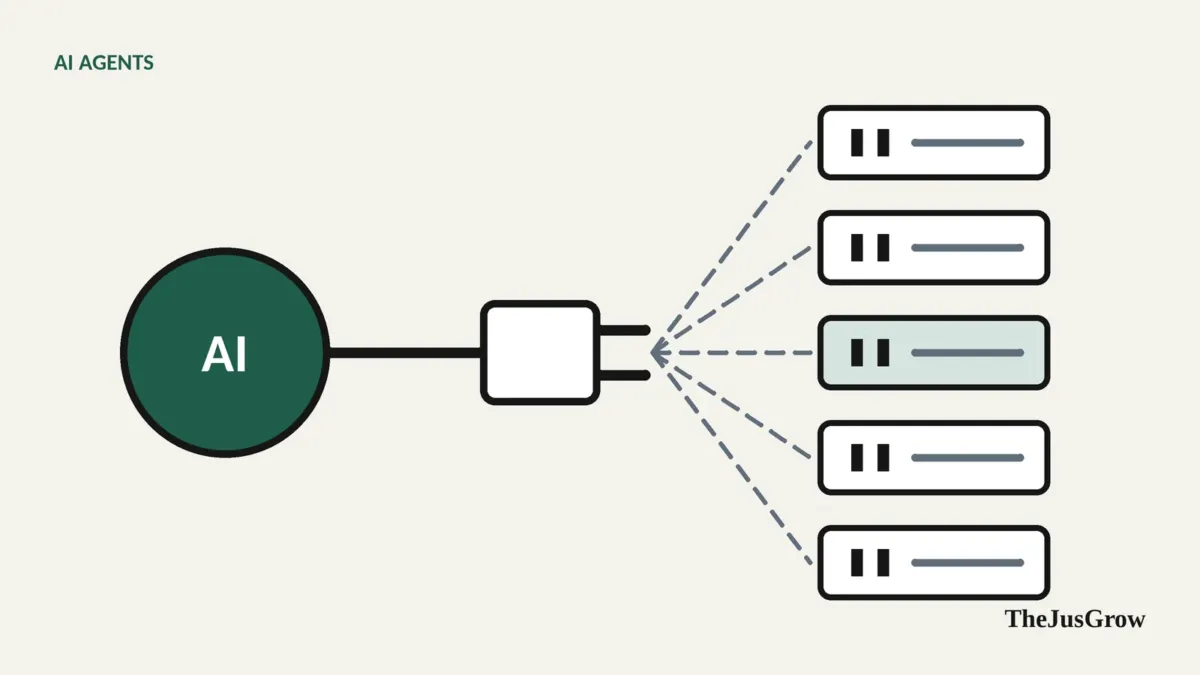
Before USB, every printer, mouse and camera needed its own kind of cable. USB didn’t make devices smarter; it made them easy to connect. MCP plays a similar role for AI agents.
The problem MCP solves
An AI model on its own can only produce text. To be useful as an agent, it needs tools, ways to read your calendar, search your files, check a shop’s stock, create a document. (We explain how tools work in how AI agents use tools, APIs and websites.)
Before shared standards, every AI company had to build a separate integration for every service, and every service had to build a separate integration for every AI company. That doesn’t scale.
MCP defines a common way for:
- an AI application (the “client”, such as a chat app or agent)
- to talk to a connector (an “MCP server”) that exposes a service’s tools and data.
Build one MCP server for your service, and any AI app that supports MCP can use it.
A simple mental model
| Part | Everyday comparison | Example |
|---|---|---|
| AI app (MCP client) | Your laptop | A chat or agent app |
| MCP server (connector) | A device’s USB plug | A connector for a calendar, a notes app or a company’s product catalogue |
| Tools | What the device can do | “Create event”, “search notes”, “check stock” |
| Permissions | What you’ve allowed | Read-only access to one calendar, for example |
Who’s behind it
Anthropic, the company that makes Claude, introduced MCP as an open standard in November 2024. Other AI companies and developer platforms adopted it over the following year. In December 2025 Anthropic donated MCP to the newly formed Agentic AI Foundation (AAIF), a Linux Foundation project co-founded with OpenAI and Block, so that no single company controls it. A related standard, Google’s Agent2Agent (A2A) protocol, focuses on agents talking to other agents rather than to tools.
Where you’ll see it
You’ll rarely see the letters “MCP”. Instead you’ll see:
- “Connectors”, “Apps” or “Integrations” in AI apps, lists of services your AI can connect to.
- “Add a custom connector” options for more technical users, where you paste the address of an MCP server.
- Businesses offering “AI-ready” access to their services so agents can use them properly rather than clicking through web pages.
OpenAI’s ChatGPT Work page, for instance, advertises more than 1,400 plugins, one sign of how large the connector ecosystem has become.
Why it matters to you
More useful agents. Standard connectors mean your agent can work with more of the tools you use, more reliably than clicking through websites.
More doors to guard. Every connector is a route into some of your data. MCP itself doesn’t decide what’s safe, the connector’s permissions and your choices do.
Third-party connectors vary in quality. Anyone can build an MCP server. A connector from an unknown developer might request more access than it needs, or be poorly secured.
Connectors can carry untrusted content. Information coming back through a connector (an email, a document, a web page) can contain hidden instructions aimed at your agent. That’s prompt injection, and connectors widen the surface for it.
How to connect safely
- Prefer official connectors, those offered in your AI app’s own directory, or published by the service itself.
- Read the permissions on the consent screen. Read-only is safer than read-and-write; “send” and “delete” deserve extra thought.
- Connect only what a task needs, and disconnect afterwards if it’s a one-off.
- Be wary of custom connectors from sources you don’t know, especially ones that ask for broad access.
- Review regularly. Check both your AI app’s connector list and your accounts’ third-party access, see how to review apps connected to your accounts.
The bottom line
MCP is a big reason AI agents became genuinely useful in 2025 and 2026: it gave them a standard way to plug into the tools people actually use. It doesn’t make those connections safe on its own. Treat every connector like giving someone a key, to a specific room, for a specific reason.
New to agents? Start with the beginner’s guide.
Key takeaways
- MCP is an open standard for connecting AI apps to tools and data, a “USB for AI agents”.
- Anthropic introduced it in November 2024; since December 2025 it’s governed by the Linux Foundation’s Agentic AI Foundation.
- You’ll usually meet it as “connectors” in AI apps.
- Every connector is a door into your data: prefer official ones, read permissions, and connect only what you need.
Model Context Protocol: FAQs
Anthropic introduced MCP in November 2024. In December 2025 it was donated to the Agentic AI Foundation under the Linux Foundation, which now governs it.
MCP is a standard, not a security guarantee. Each connector is a door into your data, so prefer official connectors, read the permissions and connect only what a task needs.
No. In most apps MCP simply shows up as connectors you switch on. Knowing it exists helps you ask the right question: what can this connector see and do?
Sources
- Anthropic, “Donating the Model Context Protocol and establishing the Agentic AI Foundation” (December 2025)
- Linux Foundation, “Linux Foundation Announces the Formation of the Agentic AI Foundation”
- Model Context Protocol blog, “MCP joins the Agentic AI Foundation” (9 December 2025)
- Google for Developers, “Announcing the Agent2Agent Protocol (A2A)”
- OpenAI, ChatGPT Work product page