What Is an AI Agentic Workflow? A Beginner’s Guide
Between a fixed automation and a fully independent AI agent sits the most practical idea in AI right now: a workflow where AI handles the judgement steps and you set the rails.

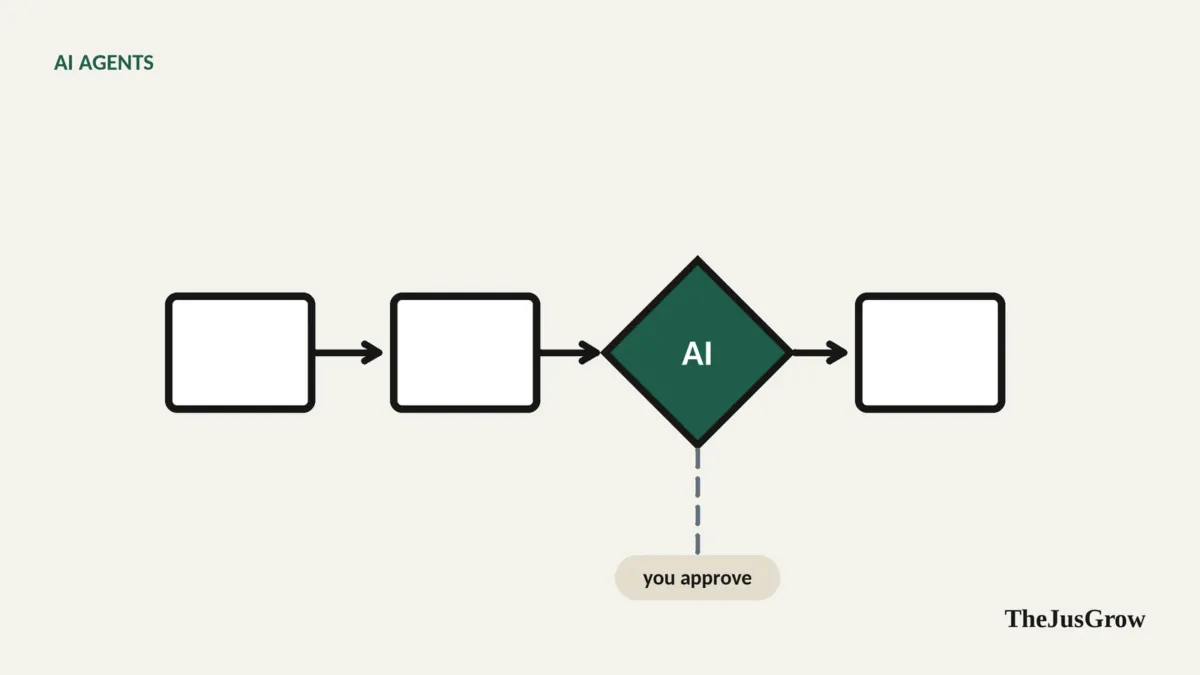
Agentic workflows: the short answer
An agentic workflow is a multi-step process in which an AI model makes some of the decisions (what to search, which option fits, whether a result is good enough) instead of every step being fixed in advance. It sits between traditional automation (fixed rules) and a fully autonomous agent (the AI decides everything). For most people, it’s the most reliable way to use AI: predictable structure, with AI judgement where it helps.
“Agentic workflow” sounds like jargon, and it often gets used as marketing. But the idea underneath is simple and useful, and understanding it will help you get better results from any AI tool you use.
Start with the word “workflow”
A workflow is just a sequence of steps that produces an outcome. Paying your monthly bills is a workflow: check which are due, check the amounts, pay each, file the receipts.
Traditional automation (the kind you can build with Zapier, IFTTT, Apple Shortcuts or Microsoft Power Automate) follows fixed rules: when an email with “invoice” in the subject arrives, save the attachment to this folder. It is fast, cheap and predictable. It also breaks the moment reality doesn’t match the rule: the invoice arrives as a link, or the subject says “bill”.
Now add the word “agentic”
An agentic workflow lets an AI model handle the steps that need judgement. In the bills example:
- Is this email actually an invoice, or a marketing email that mentions invoices?. AI decides.
- What’s the amount and due date?. AI reads the email or attachment, whatever the format.
- Does this look unusual compared with last month?. AI flags it.
- Save it to the spreadsheet, a fixed step.
- Pay it, you, after reviewing the list.
The structure is fixed; the judgement inside it is flexible. That’s the whole idea.
Workflows versus agents: a spectrum
AI developers often draw a useful distinction here. Anthropic, in a widely cited engineering post on building effective agents, describes workflows as systems where AI models and tools are arranged in predefined paths, and agents as systems where the model directs its own process and tool use. In practice there’s a spectrum:
| Level | Who decides the steps? | Example | Predictability |
|---|---|---|---|
| 1. Rule-based automation | You, in advance | “Save every attachment from my accountant to this folder” | Very high |
| 2. Automation with an AI step | You set the steps; AI handles one | “Summarise each new support email and post it to a channel” | High |
| 3. Agentic workflow | You set the stages and limits; AI chooses how within them | “Each Monday, find deadlines in my email, check them against my calendar, and propose a plan for the week” | Medium |
| 4. Autonomous agent | AI decides the steps from your goal | “Sort out my week” | Lower |
Most people get the best results at levels 2 and 3. Level 4 is impressive when it works and frustrating when it doesn’t, and it gives the AI the most room to go wrong.
Common agentic workflow patterns
You’ll see the same few shapes again and again, whether in consumer apps or business software:
Plan, then execute. The AI writes a step-by-step plan, you approve it, then it carries it out. OpenAI’s ChatGPT Work has a Plan mode that works this way, and it’s a good habit with any agent: ask for the plan first.
Gather and combine. The AI collects information from several sources (websites, emails, files) then merges it into one result, such as a comparison table. This is the backbone of most research tasks.
Check and revise. After producing something, the AI (or a second AI step) checks it against criteria. “does every hotel meet the price limit?”, and fixes problems before showing you.
Route. The AI decides which path an item should take, this email is a bill, that one’s a newsletter, this one needs a human.
Human checkpoint. At defined points, the workflow stops and asks you. This is what separates a safe workflow from a risky one.
Schedule or trigger. The workflow runs at a set time or when something happens, a new email, a price change. ChatGPT Work, Gemini Spark and Anthropic’s Claude all document scheduled tasks, and OpenAI documents event-triggered ones.
Everyday examples
The weekly family admin run. Every Sunday evening: collect school emails, extract dates and required actions, add dates to the family calendar, and send you a checklist of things to sign or pay. Human checkpoint: you review before anything is sent to anyone.
The purchase research routine. When you add an item to a “want to buy” list: find three retailers, compare total price and return terms, track the price for two weeks, and notify you if it drops. Human checkpoint: you buy.
The job-search helper. Each morning: search specified job boards for roles matching your criteria, discard ones you’ve seen, summarise the new ones, and draft a tailored cover-letter opening for any you star. Human checkpoint: you apply.
The freelancer‘s invoice chaser. Every Friday: list unpaid invoices past due, draft polite reminders, and queue them for your approval.
How to design your own agentic workflow
You don’t need to code. With a capable agent, you can describe the workflow in plain language. A good description covers six things:
- Outcome. What finished looks like. “A table of this week’s deadlines.”
- Inputs. Where the information comes from. “Emails from the school and my calendar.”
- Steps and judgement. The stages, and where the AI should use judgement. “Decide which emails contain real deadlines; ignore newsletters.”
- Tools and limits. What it may use and must not do. “Read email and calendar. Don’t send or delete anything.”
- Checkpoints. Where it stops for you. “Show me before adding anything to the calendar”, at least for the first few runs.
- Schedule. When it runs. “Sundays at 6pm.”
Put together:
Every Sunday at 6pm, read emails from [school] and [club] received in the past week. Identify genuine deadlines, events and things I need to pay or sign; ignore newsletters and ads. Compare with my calendar and list anything missing. Show me the list as a table with links to the source emails. Don’t add events, send messages or delete anything unless I reply “approve”.
Run it manually a couple of times, check the results against the source emails, and only then consider loosening the checkpoint.
When an agentic workflow is the wrong tool
If a task follows a perfectly predictable rule, plain automation is cheaper, faster and more reliable, see our comparison of AI agents vs automation tools. And if a task is a one-off, just do it with a chat or agent session; building a workflow is only worth it for things you repeat.
Key takeaways
- An agentic workflow is a fixed structure with AI making the judgement calls inside it.
- It sits between rule-based automation and fully autonomous agents, usually the sweet spot for reliability.
- Common patterns: plan-then-execute, gather-and-combine, check-and-revise, route, human checkpoints, schedules.
- Describe your workflow with outcome, inputs, judgement, limits, checkpoints and schedule.
- Use plain automation for fully predictable tasks; save agentic workflows for repeated tasks that need judgement.
Agentic workflows: FAQs
An agentic workflow keeps a fixed structure and lets AI make judgement calls inside it. A fully autonomous agent decides the steps itself. Workflows are usually more predictable, which is why they suit repeated tasks.
No. Many automation tools and AI assistants let you describe steps in plain language, add an AI step for judgement and schedule the whole thing. Coding helps for complex setups, but you do not need it to start.
A weekly research digest. The workflow gathers sources on a topic, the AI picks the most relevant items and summarises them, and you review the result before acting on anything.
Sources
- Anthropic, “Building effective agents” (December 2024)
- OpenAI Help Center, “ChatGPT Work and Codex” (Plan mode, scheduled and event-triggered tasks)
- OpenAI, ChatGPT Work product page (Plan mode)
- Google, Gemini Apps Help, “Use Gemini Spark” (schedules)
- Anthropic, Claude Help Center (scheduled tasks in the cloud)