Where Did ChatGPT Agent Mode Go? ChatGPT Work, Explained
OpenAI retired the 'ChatGPT agent' button in 2026 and pointed people to ChatGPT Work. Here's what Work does, what changed, which plans get what, and how to use it sensibly.

ChatGPT Work: the short answer
ChatGPT agent, the mode launched in July 2025 that let ChatGPT operate its own virtual browser, is no longer available. OpenAI’s help centre now directs people to ChatGPT Work, described as “an agent designed for longer, multi-step work and finished deliverables,” and to a separate cloud browser for browser workflows. Work researches, analyses and produces documents, spreadsheets, presentations and interactive “Sites”; it can run once, on a schedule, or when something happens (such as a new email), and it asks for approval on important actions.
If the Agent option vanished from your ChatGPT menu, you’re not imagining it. OpenAI’s help article for the feature now opens: “ChatGPT agent is no longer available. Use ChatGPT Work for longer, multi-step tasks and finished deliverables.” There was little advance notice, and for a while the same page still listed the old plan limits further down, which added to the confusion.
Here’s what replaced it.
Chat, Work and Codex
ChatGPT is now split into experiences you switch between:
| Experience | What OpenAI says it’s for |
|---|---|
| Chat | Fast, conversational help and everyday questions |
| Work | An agent for longer, multi-step work and finished deliverables: research, analysis, documents, spreadsheets, presentations, reports and Sites |
| Codex | Software development (desktop app) |
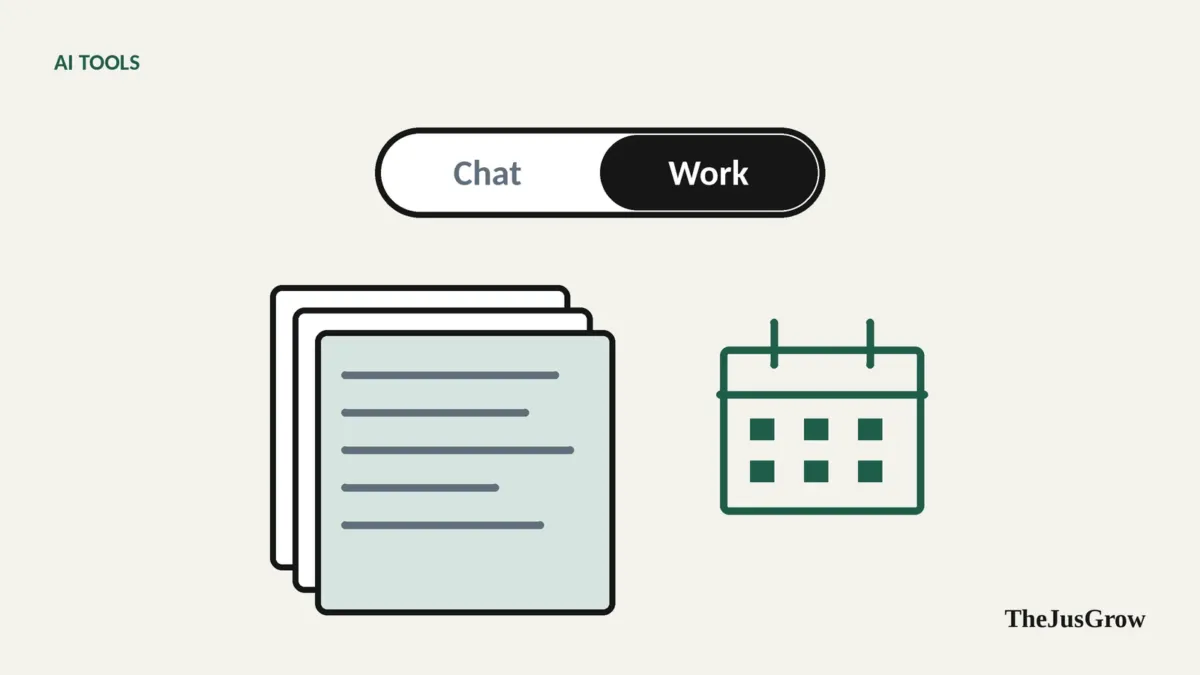
On web and mobile, you pick Chat or Work from a toggle or dropdown at the top. In the desktop app, you choose ChatGPT from the top-left menu, then Chat or Work.
What Work can do
Based on OpenAI’s help centre and product page:
- Plan before acting. In Plan mode, ChatGPT “gathers context, asks questions, and creates a step-by-step plan” before starting.
- Produce deliverables. Documents, spreadsheets, presentations, reports, and Sites (shareable interactive pages).
- Use your apps. Connected apps and plugins (the product page says more than 1,400 are available) let Work pull context from tools you already use.
- Browse. Via a built-in browser in the desktop app and a cloud browser for supported workflows.
- Work with local files in the desktop app, with your permission, on plans and workspaces that allow it.
- Run on a schedule or trigger. Tasks can run once, repeat, or monitor for changes. Event-triggered tasks can run when, for example, a new Gmail message arrives, a new Slack message appears, or GitHub pull-request activity happens.
- Take voice instructions. You can talk to Work on web, mobile and desktop, and it can continue a task in text after the call.
- Check in. OpenAI says Work “checks in when judgment or approval matters”, and you can review progress, answer questions, change direction and approve important actions.
What changed from agent mode
| ChatGPT agent (2025-2026) | ChatGPT Work (2026) | |
|---|---|---|
| Main idea | An AI operating its own virtual browser | An agent focused on multi-step work and finished deliverables |
| Browser | Core of the product | Available, but one tool among many |
| Output | Completed web tasks, some files | Documents, spreadsheets, slides, reports, Sites |
| Scheduling | Scheduled tasks | Scheduled, recurring, monitoring and event-triggered tasks |
| Where it runs | OpenAI’s virtual computer | Cloud (web/mobile) or locally in the desktop app |
| Usage | Monthly message limits by plan | Shares usage structure with Codex; varies by task |
Some users relied on the old mode’s “hand over to me at the login screen, then carry on” behaviour for logged-in website chores. If that’s what you used it for, test whether the cloud or built-in browser covers your workflow before depending on it.
Which plans get what
OpenAI’s help pages say Work is available on web and mobile for eligible paid plans, and in the desktop app when included in your plan and workspace. Event-triggered tasks are not available on Free or Go. Business, Enterprise and Edu administrators can switch Work (cloud and local) on or off by role.
Work follows the same usage structure as Codex, so heavier tasks use more of your allowance. Plans and allowances change often, check OpenAI’s pricing page for your region before relying on specifics.
Using ChatGPT Work sensibly
Start with Plan mode. Reading the plan catches misunderstandings before any work is done.
Prefer deliverables over actions. A report or spreadsheet you review is low-risk. Actions that send, share or buy deserve more caution.
Be careful with triggers. A task that runs whenever a new email arrives is effectively letting senders start your agent. Keep triggered tasks narrow and read-only, and read our explainer on prompt injection.
Limit connected apps. Connect only what a task needs, and review connections regularly, see how to review apps connected to your accounts.
Remember local work may be stored in the cloud. OpenAI notes that messages and task context may be stored in the cloud even when work runs locally.
Check data controls. In Settings > Data Controls you can turn off “Improve the model for everyone” if you don’t want your conversations used for training.
Who should use it
If you already pay for ChatGPT and spend time turning research into documents, Work is worth learning, it’s arguably more useful to most people than the old browser-driving agent was. If what you need is Google-ecosystem automation, compare it with Gemini Spark; for the broader field, see the best AI agents for everyday tasks.
Key takeaways
- OpenAI’s help centre says ChatGPT agent is no longer available; ChatGPT Work is the replacement.
- Work plans, researches and produces documents, spreadsheets, slides, reports and Sites, using connected apps and a browser.
- It can run on schedules or triggers (event triggers aren’t on Free or Go) and asks for approval on important actions.
- Start with Plan mode, keep triggered tasks narrow, limit connections, and check data controls.
ChatGPT Work: FAQs
It replaces it. OpenAI’s help centre says ChatGPT agent is no longer available and points people to ChatGPT Work for longer, multi-step jobs and finished deliverables.
Yes. It can run once, on a schedule or when something happens, such as a new email arriving. Event triggers are not available on the Free or Go plans.
Yes, it asks for approval on important actions. Starting in Plan mode, keeping triggered tasks narrow and limiting connected apps adds further protection.