AI Agent for HubSpot: Breeze, Credits and Connectors
HubSpot's Breeze agents, its MCP server and official ChatGPT and Claude connectors can all work on your CRM. Here's what each does, how HubSpot Credits work and how to stay in control.

In this article
- What counts as an AI agent for HubSpot?
- What can Breeze Assistant do?
- Which Breeze agents does HubSpot offer?
- How much does an AI agent for HubSpot cost?
- Can ChatGPT or Claude work as an AI agent for HubSpot?
- How do you set up a HubSpot AI agent safely?
- What are the risks of an AI agent for HubSpot?
- Who is a HubSpot AI agent for, and who should skip it?
- AI agent for HubSpot: FAQs
- Sources
AI agent for HubSpot: the short answer
An AI agent for HubSpot is AI that can read your CRM records and do work for you, such as answering customers, researching leads or updating deals. HubSpot also builds its own agents, known as Breeze, which mostly run on Professional and Enterprise plans and use HubSpot Credits. You can also connect ChatGPT, Claude, Gemini or Copilot through official HubSpot connectors.
Choosing an AI agent for HubSpot used to mean buying a separate add-on. Now HubSpot sells its own agents inside the CRM, and it also lets outside assistants such as ChatGPT and Claude read and update your records.
That gives small teams real options, but also a confusing price model. So this guide explains what each option does, what it costs in HubSpot Credits, and how to keep control of your customer data. Everything here therefore comes from HubSpot’s own documentation and announcements as of October 2026. It is based on publicly documented capabilities; TheJusGrow has not tested these tools for this article.
What counts as an AI agent for HubSpot?
An AI agent does more than answer a question. Instead, it can look up information, decide on a few steps and then act, for example by sending an email or updating a record. So if you’re new to the idea, our guide to what AI agents are is a good primer.
In HubSpot, you’ll then find three main routes to an AI agent for HubSpot work:
- Breeze Assistant, HubSpot’s general AI helper, which sits across the CRM.
- Breeze agents, which handle specific jobs such as customer service or prospecting.
- Outside assistants, such as ChatGPT, Claude, Gemini and Microsoft Copilot, connected through official HubSpot connectors or HubSpot’s MCP server.
What can Breeze Assistant do?
Breeze Assistant, formerly called Copilot, is available on all HubSpot products and plans. According to HubSpot’s Breeze Assistant guide, it can draft content, summarise records, help you prepare for meetings and search connected apps such as Gmail.
Importantly, it works within each user’s own HubSpot permissions. So a sales rep who can’t see a record also can’t ask Breeze about it. HubSpot also sets usage limits of 30 requests per minute and 1,000 per day.
At its Fall ’26 launch in September 2026, HubSpot said the assistant “now takes action”. It added that the assistant “assigns the right agents to get it done”. In other words, the assistant increasingly acts as a front door to the specialist agents below.
Which Breeze agents does HubSpot offer?
For reference, HubSpot’s product page listed these agents in October 2026. Some remain in beta, so check the status in your own account.
| Agent | What HubSpot says it does |
|---|---|
| Customer Agent | Answers customer questions across chat, email, WhatsApp and other channels |
| Prospecting Agent | Watches buying signals and drafts personalised outreach |
| Data Agent | Answers questions from your CRM data, calls and documents |
| Content Agent | Drafts blog posts, social posts and landing pages in your brand voice |
| Campaign Agent | Turns one goal into a multi-channel campaign |
| Nurture Agent | Sends personalised emails to leads |
| Revenue Agent | Follows up on invoices and payments |
The Customer Agent
First, the Customer Agent learns from your knowledge base, website, PDFs and blog. Then it answers customers and hands over to a person when needed. You also write the handoff rules yourself, for example “refund” or “cancellation”. In addition, HubSpot offers live handoff, delayed handoff or no handoff at all.
The Prospecting Agent
Similarly, the Prospecting Agent researches leads and drafts outreach emails. Crucially, it has two modes: “Review before sending”, where you approve each message, or “Send automatically”. For a small team, the review mode is therefore the safer start.
Building your own agent
HubSpot also offers an agent builder on many Starter, Professional and Enterprise plans. However, you need Super Admin rights or the “Agent builder” permission. According to HubSpot, testing is free, and you see a cost estimate before you switch an agent on. However, building an agent simply by describing it to Breeze Assistant remains in public beta.
How much does an AI agent for HubSpot cost?
HubSpot charges for most AI agent work in HubSpot through HubSpot Credits. Below is how the system works, according to HubSpot’s credits page and its product catalogue as of October 2026.
First, each paid plan includes a monthly allowance of credits. These also reset every month and don’t roll over. Second, each agent action uses a set number of credits. Finally, you can buy more credits at $10 per 1,000, either as a pack or on pay-as-you-go.
| Plan level | Included credits per month (standard hubs) |
|---|---|
| Starter | 500 |
| Professional | 3,000 |
| Enterprise | 5,000 |
| Agent action | Credits used |
|---|---|
| Customer Agent, per resolved conversation | 50 (about $0.50) |
| Prospecting Agent, per lead recommended for outreach | 100 (about $1) |
| Data Agent, per response | 10 |
| Content Agent (beta), per piece | 1,000 |
| Workflow AI action, per run | 10 |
So, as a rough example, 3,000 included credits would cover about 60 resolved Customer Agent conversations a month. HubSpot moved both the Customer and Prospecting agents to this “pay when the task is complete” model in April 2026. Meanwhile, you can set credit limits for the whole account or for each feature, and you can pause features.
On top of that, the base plans cost extra. HubSpot’s CRM pricing page in October 2026 showed a free plan for up to two users. It also advertised Starter from $7 per seat per month under a limited-time offer for new customers. Meanwhile, the Marketing Hub pricing page showed Professional from $800 a month on annual billing. Similarly, Sales Hub Professional started at $90 per seat a month. Prices change often and vary by region, so check your own pricing page.
Can ChatGPT or Claude work as an AI agent for HubSpot?
Yes. HubSpot publishes official connectors for the main assistants, so ChatGPT or Claude can act as an AI agent for HubSpot. However, each one can do different things. The table below reflects HubSpot’s knowledge base as of October 2026.
| Assistant | Read HubSpot data | Change HubSpot data | Notes |
|---|---|---|---|
| ChatGPT | Yes | Create and update contacts, companies, deals and activities | Super Admin must approve; up to 10 records at a time |
| Claude | Yes | Create and update records, marketing assets, quotes and more | Can’t delete records; needs a paid Claude plan |
| Gemini | Yes | No (read-only) | Needs an eligible paid Google Workspace plan; English only |
| Microsoft Copilot | Yes | No (read-only) | Needs a Microsoft 365 Copilot licence and admin setup |
For Claude, HubSpot recommends asking for confirmation before any change. In fact, that is good practice for every assistant.
What about HubSpot’s MCP server?
HubSpot also runs a remote MCP server, which became generally available on 13 April 2026. MCP, short for Model Context Protocol, is a standard way for AI tools to connect to software. Also, our Model Context Protocol explainer covers it in more depth.
Through this server, then, a compatible AI tool can read contacts, deals, tickets, campaigns and more. It can also create and update contacts, companies, deals, tickets and activities. In September 2026, HubSpot extended it to custom objects, marketing email and pipeline settings. Setup takes a small developer step, though, because you create an “MCP Auth App” first.
How do you set up a HubSpot AI agent safely?
Before you switch on any AI agent for HubSpot, start with HubSpot’s own controls. Then add one agent at a time.
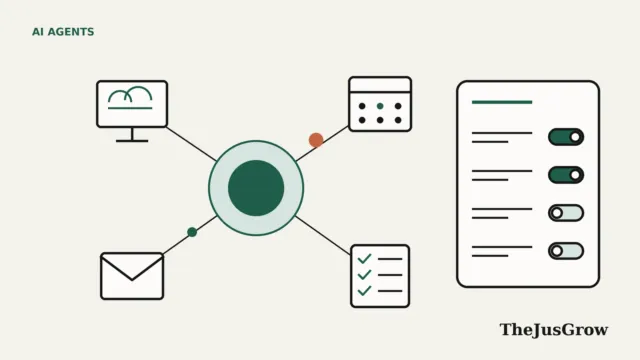
- First, ask a Super Admin to open the AI settings page and review each toggle.
- Decide whether Breeze may use CRM data, conversation data and files. By default, HubSpot says file access is off.
- Next, review the model training setting. HubSpot says it may train its own models on customer data unless a Super Admin opts out.
- Set a monthly credit limit, so an agent can’t run up a surprise bill.
- Turn on one agent in review mode, such as the Prospecting Agent with “Review before sending”.
- Finally, check the results weekly for the first month before you widen access.
The training setting also deserves a closer look. HubSpot says opting out only applies from then on, so data already used stays in trained models. It also says outside AI providers it uses may not train on customer data.
What are the risks of an AI agent for HubSpot?
Any AI agent for HubSpot handles your customers’ personal data, so mistakes matter more than in a notes app.
- Wrong answers to customers. After all, a Customer Agent can only be as good as your knowledge base. Therefore, keep clear handoff rules for refunds, complaints and anything sensitive.
- Automatic sending. For example, an agent that emails prospects without review can damage your reputation quickly.
- Too much access. So connect each assistant with the narrowest permissions possible, and remove ones you no longer use. For instance, our guide to reviewing connected apps shows how.
- Hidden instructions. Agents that read incoming emails or web pages can face prompt injection.
- Documented limits. For instance, HubSpot notes that the ChatGPT connector skips custom validation rules. Similarly, accounts with HubSpot’s Sensitive Data setting lose activity access through ChatGPT, Claude and the MCP server.
Data protection law also still applies. If you hold customer data from the EU or UK, for example, check your obligations with your own adviser before you send records to outside AI tools.
Who is a HubSpot AI agent for, and who should skip it?
An AI agent for HubSpot makes most sense if you already pay for Professional or Enterprise and have a decent knowledge base. In that case, the Customer Agent or Data Agent can save real time.
On the other hand, a Starter user with a small list may get more value from Breeze Assistant or a connected ChatGPT or Claude account first. Likewise, if your team can’t review outgoing messages, skip automatic sending for now. Meanwhile, for freelancers, our guide to AI agents for freelancers covers lighter options.
A quick checklist
- Review AI settings and the training opt-out with a Super Admin.
- Set a credit limit before you turn on any agent.
- Then start every agent in review or approval mode.
- Write handoff rules for refunds, complaints and legal questions.
- Finally, audit connected AI apps every quarter.
Key takeaways
- HubSpot’s own AI agents go by the name Breeze, and most of them need a Professional or Enterprise plan.
- Agent work uses HubSpot Credits; included credits reset monthly and extra credits cost $10 per 1,000.
- ChatGPT and Claude can read and update HubSpot records, while Gemini and Copilot are read-only.
- Super Admins control what data Breeze can use and whether HubSpot trains on your data.
- Above all, start in review mode, set credit limits and add one agent at a time.
AI agent for HubSpot: FAQs
Breeze Assistant is available on all HubSpot plans, including free ones, although usage limits apply. However, most Breeze agents need a Professional or Enterprise plan and use HubSpot Credits.
Yes. HubSpot says its ChatGPT connector can create and update contacts, companies, deals and activities, up to 10 records at a time. However, a Super Admin must approve it first.
HubSpot says it may train its own models on customer data. Super Admins can opt out in the AI settings, but the opt-out only applies from then on.
HubSpot sells extra credits at $10 per 1,000, so one credit costs about one cent. For example, a resolved Customer Agent conversation uses 50 credits.
Sources
- HubSpot Knowledge Base, “Use Breeze Assistant” (updated September 16, 2026)
- HubSpot, “Fall 2026 Spotlight” (September 16, 2026)
- HubSpot, “Breeze AI” product page (accessed October 2026)
- HubSpot, “Customer Agent and Prospecting Agent: Now you pay when the task is complete” (April 14, 2026)
- HubSpot Knowledge Base, “Set up and use the prospecting agent” (updated September 16, 2026)
- HubSpot Knowledge Base, “Set up and customize the customer agent’s handoff process” (updated August 26, 2026)
- HubSpot Knowledge Base, “Create and customize agents in the agent builder” (updated September 16, 2026)
- HubSpot, “HubSpot Credits” (accessed October 2026)
- HubSpot, “Product and Services Catalog” (accessed October 2026)
- HubSpot Developers, “Remote HubSpot MCP server is now generally available” (April 13, 2026)
- HubSpot Developers, “Fall 2026 Spotlight” changelog (September 15, 2026)
- HubSpot Knowledge Base, “Connect your HubSpot account to ChatGPT” (updated August 26, 2026)
- HubSpot Knowledge Base, “Set up and use the HubSpot connector for Claude” (updated September 17, 2026)
- HubSpot Knowledge Base, “Set up and use the HubSpot connector for Gemini” (updated August 21, 2026)
- HubSpot Knowledge Base, “Set up and use the HubSpot agent for Copilot” (updated July 16, 2026)
- HubSpot Knowledge Base, “Manage your AI settings” (updated September 8, 2026)
- HubSpot Knowledge Base, “Understand HubSpot’s AI model training” (updated September 8, 2026)
- HubSpot, “CRM pricing” (accessed October 2026)
- HubSpot, “Marketing Hub pricing” (accessed October 2026)
- HubSpot, “Sales Hub pricing” (accessed October 2026)