AI Agents vs Automation Tools: Which One Should You Use?
Zapier, IFTTT and Apple Shortcuts follow rules perfectly. AI agents handle mess and ambiguity. Picking the wrong one costs you money or reliability — here's how to choose.

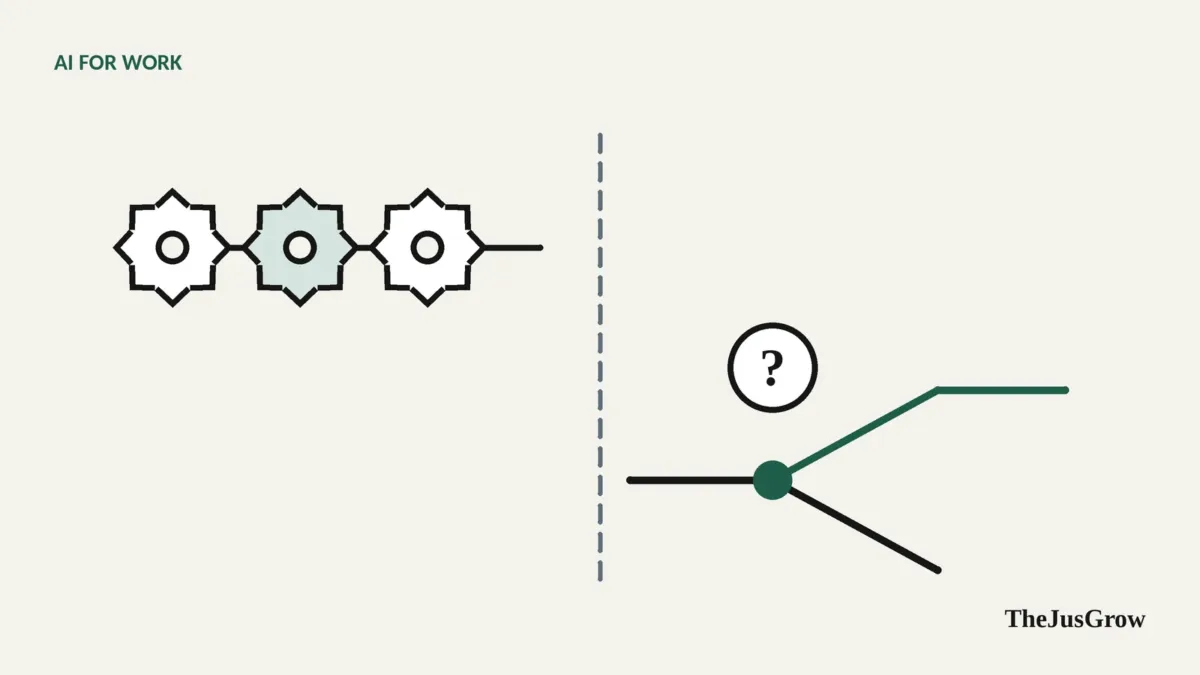
AI agents vs automation tools: the short answer
Use a rule-based automation tool (Zapier, Make, IFTTT, Apple Shortcuts, Microsoft Power Automate) when a task follows a predictable rule (“when X happens, do Y”) and must run the same way every time. Use an AI agent when the task involves messy inputs, judgement or many websites that don’t offer a clean connection. Often the best answer is both: automation for the reliable plumbing, with an AI step only where judgement is needed.
The arrival of AI agents has led some people to assume traditional automation is obsolete. It isn’t. The two are good at opposite things, and the most dependable setups use them together.
How each one works
Rule-based automation connects apps through predefined triggers and actions. When a new file appears in this folder (trigger), copy it to that folder and send me a notification (actions). You design every step in advance. The software does exactly that, every time, usually through official app integrations (APIs). If the input doesn’t match what you designed for, the automation fails or does the wrong thing, but it fails in a predictable way.
AI agents start from a goal and decide the steps themselves, using a language model to interpret what they see. They can read an email written any way at all, navigate a website with no integration, and cope with surprises. The price is predictability: the same instruction can play out differently on different days.
Side-by-side comparison
| Rule-based automation | AI agent | |
|---|---|---|
| You describe | Exact steps | The goal |
| Handles messy or varied input | Poorly | Well |
| Consistency | Same result every time | Can vary between runs |
| Speed | Seconds | Seconds to minutes |
| Running cost | Low per run | Higher per run; often metered |
| Setup effort | Higher up front, you design each step | Lower, describe in plain language |
| Works with websites that lack integrations | Rarely | Yes, via browser control |
| Easy to audit | Yes, every step is visible | Harder, decisions happen inside the model |
| Failure mode | Stops or errors visibly | Can carry on confidently in the wrong direction |
| Security exposure | Limited to configured actions | Can be steered by content it reads (prompt injection) |
| Best for | Predictable, high-volume, repeated tasks | Judgement, research, one-offs, messy inputs |
A simple way to decide
Ask four questions about the task:
1. Could you write the rule on a sticky note? “Save every attachment from my accountant to the Tax folder.” If yes, use automation. It will be cheaper and more reliable.
2. Does the input vary in ways a rule can’t handle? Invoices in different formats, emails that mention deadlines in plain language, websites that change. If yes, you need AI somewhere.
3. Does it need to run hundreds of times, identically? High-volume tasks favour automation; the per-run cost and variability of agents add up.
4. What’s the cost of a wrong action? If a mistake would be expensive or embarrassing, prefer automation’s predictability, or keep an AI step behind human approval.
The hybrid approach: automation with an AI step
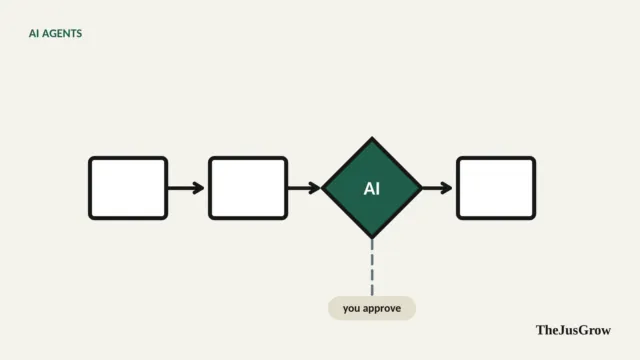
The most practical pattern in 2026 is a rule-based workflow with AI used only for the steps that need judgement. Most major automation platforms now let you add AI steps (for example, “summarise this”, “extract the amount and due date”, “classify this email”) inside an otherwise fixed flow, and several have added their own agent features.
For example, a freelancer‘s invoice flow:
- Trigger (automation): a new email arrives in the “Invoices” label.
- AI step: extract vendor, amount, currency and due date, whatever the email’s format.
- Rule (automation): if any field is missing, send it to a “Needs review” list.
- Action (automation): add a row to the spreadsheet.
- Rule (automation): if the due date is within 7 days, create a calendar reminder.
The AI only does the part that genuinely needs interpretation. Everything else is predictable and cheap. This is essentially what we describe as an agentic workflow, built on automation plumbing.
When a full AI agent is the better choice
Go straight to an agent when:
- There’s no integration. The website you need has no API and no app on the automation platform. An agent can use the site the way you would.
- It’s a one-off or rarely repeated. Designing an automation for something you’ll do twice isn’t worth it.
- It’s research. Comparing products, gathering information from many sources, synthesising a report.
- The steps depend on what’s found. “If the first retailer is out of stock, check the next two and look for an equivalent model.”
When automation is clearly better
Stick with automation when:
- It’s high-volume and predictable. Backing up photos, routing form submissions, posting a daily message.
- Timing must be exact. Automations fire reliably on triggers and schedules.
- You need an audit trail. Every run and step is logged plainly.
- It touches sensitive systems. Fixed actions can’t be talked into doing something else by a malicious email.
Everyday examples
| Task | Better fit | Why |
|---|---|---|
| Save phone photos to cloud storage | Automation (or built-in settings) | Predictable, high-volume |
| Turn on lights at sunset | Automation | Simple rule |
| Summarise long email threads daily | AI (or automation + AI step) | Needs interpretation |
| Log receipts from varied emails into a sheet | Automation + AI step | Messy input, predictable output |
| Compare five insurance quotes on different sites | AI agent | No integrations; judgement |
| Post a weekly team reminder | Automation | Fixed message and schedule |
| Find and summarise new job listings matching criteria | AI agent or automation + AI | Varied sources and relevance judgement |
Costs to keep in mind
Automation platforms typically charge by the number of tasks or runs, and many have free tiers for light personal use. AI agents are usually part of a paid AI subscription with usage limits, and AI steps inside automation platforms may consume separate credits. Check both before scaling anything up; a workflow that runs every five minutes can burn through an allowance quickly. As an example of metering, OpenAI’s help documentation for its former agent mode counted each scheduled agent run against the monthly limit.
The bottom line
Don’t use a thinking machine where a rule will do, and don’t force a rule onto a problem that needs thinking. Start with the simplest tool that reliably does the job, and add AI only where a human would otherwise have to read, interpret or decide.
Key takeaways
- Rule-based automation is cheap, fast, predictable and auditable, ideal for fixed “when X, do Y” tasks.
- AI agents handle messy inputs, judgement and websites without integrations, but vary between runs and cost more.
- The hybrid pattern, automation with a single AI step, is often the most reliable choice.
- Choose by rule-ability, input variability, volume and the cost of a mistake.
AI agents vs automation tools: FAQs
Not really. Rule-based automation is cheaper, faster and more predictable, so it still wins for fixed tasks. Many automation tools now add AI steps, which makes the two work together rather than compete.
Automation tools are usually cheaper per run because they follow fixed rules. AI agents use metered model calls and can take several steps per task, so costs rise with volume.
It is a normal automation with one AI step where judgement is needed. For example, a rule saves every invoice email to a folder, and an AI step reads each one and pulls out the amount and due date.