AI Agents for Freelancers: 12 Workflows Worth Setting Up
Freelancers do their own admin, sales, research and reporting. Here are twelve agent workflows that take the grind out of those jobs — with instructions to copy and the lines not to cross with client data.


AI agents for freelancers: the short answer
The most useful AI agent workflows for freelancers are recurring admin and research jobs: a daily inbox triage, lead and proposal research, meeting briefs, invoice and payment chasing drafts, weekly time and income summaries, client report drafts, and monitoring prospects’ or competitors’ public news. Keep client-confidential material out of any AI tool your contract or client doesn’t allow, and keep anything that commits you (proposals, invoices, replies to clients) behind your own review.
When you work for yourself, every hour spent on admin is an hour you can’t bill. That makes freelancers one of the groups most likely to benefit from AI agents, and one of the groups with the most to lose if an agent sends the wrong thing to a client.
The twelve workflows below are chosen for that balance: real time saved, low risk, easy to check. They work with agents that support connected apps and schedules, such as ChatGPT Work, Claude, Gemini (including Spark where available) or Perplexity Computer.
First: the client-data rule
Before connecting anything, check two things:
- Your contracts. Some clients prohibit putting their information into third-party AI tools, or require specific tools. Their rule wins.
- The tool’s data settings. Turn off training on your data where possible, and understand retention. Business plans often have stricter defaults.
When in doubt, work with anonymised or public information, and keep client files out of the agent’s reach.
Daily
1. Inbox triage by client
Every weekday at 8:30am, sort new emails into: client requests (grouped by client), new leads, invoices and payments, and everything else. For each client request, one line on what they’re asking and any deadline. Don’t reply or archive.
2. End-of-day follow-up list
At 6pm, list client emails I read today but haven’t replied to, and any promises I made in sent emails today (“I’ll send it tomorrow”).
Sales and new work
3. Lead research
For each company in this list, give me: what they do, recent public news (last 90 days), who seems to handle [marketing/engineering/etc.] based on public information, and one specific way my service could help. Link sources.
Stick to public, professional information.
4. Proposal groundwork
I’m proposing [service] to [client type]. Research typical scope, common pitfalls and questions clients in this sector ask. Draft an outline for my proposal with sections and bullet points, not full text.
Write the final proposal yourself; it’s your voice and your price.
5. Job-board and marketplace scan
Every morning, check [job board or marketplace search] for new postings matching [criteria], skip ones I’ve seen, and summarise the new ones with budget, timeline and a fit score from 1-5 with a one-line reason.
Some platforms restrict automated access in their terms, check before automating.
Client work
6. Meeting briefs
The evening before any meeting on my calendar with a client, give me: our last three email exchanges summarised, open action items, and questions I should ask.
7. Research packs
Compile a research brief on [topic] for a client project: key facts, recent developments, statistics with their original sources, and open questions. Flag anything you’re unsure about.
Verify every statistic before it reaches a client deliverable.
8. First drafts of reports
Using this data export and last month’s report as a template, draft this month’s report: what changed, what worked, what didn’t, recommended next steps. Mark every number you calculated so I can check it.
Asking the agent to mark its calculations makes checking much faster.
Money
9. Invoice chasing drafts
Every Monday, list invoices in my “Invoices” sheet that are past due. For each, draft a polite reminder referencing the invoice number, amount and due date. Don’t send.
10. Receipts and expenses log
When an email contains a receipt, add date, vendor, amount, currency and category to my “Expenses” sheet.
Handy at tax time. Spot-check monthly; your accountant will thank you.
11. Weekly income and time summary
Every Friday, summarise hours logged per client from my calendar (events tagged [client]) and invoices issued this week. Compare with last week.
Staying informed
12. Client and market watch
Every Monday, check public news about my five main clients and their competitors, and summarise anything that might affect my work with them.
This makes you look well-prepared in client conversations, and it’s all public information.
What not to automate
- Sending anything to clients without reading it. One wrong tone or wrong attachment can cost a relationship.
- Pricing and proposals. Research, yes. The number and the promise, no.
- Contracts and legal terms. Summaries can help you understand; decisions need you, and sometimes a lawyer.
- Anything a client’s confidentiality terms exclude.
A realistic starting point with AI agents for freelancers
Pick two workflows, the daily triage and the invoice chasing drafts are good first choices, and run them read-only for two weeks. Check the output against reality. Add more once they’re reliable. For how agent workflows differ from traditional automation tools like Zapier, see AI agents vs automation tools; for general productivity routines, 15 tasks worth automating.
Key takeaways
- Freelancers gain most from agents on recurring admin: triage, research, meeting briefs, invoice drafts and summaries.
- Check client contracts and tool data settings before connecting anything.
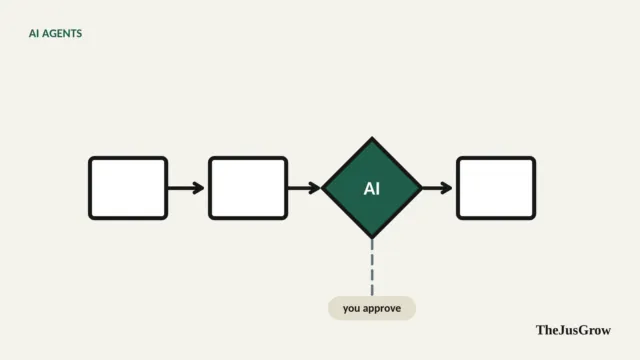
- Keep proposals, pricing, contracts and anything sent to clients under your own review.
- Ask agents to mark calculations and link sources so checking is quick.
- Start with two read-only workflows and expand once they prove reliable.
AI agents for freelancers: FAQs
Only if your contract and the client allow it. Check the tool’s data settings too, and keep confidential material out of any AI service that has not been approved.
The ones that handle recurring admin: daily inbox triage, meeting briefs, invoice chasing drafts and weekly income summaries. They repeat often and are quick to check.
No. Let it draft them, then review and send them yourself. Anything that commits you to a price, deadline or contract should stay under your control.
Sources
- OpenAI Help Center, “ChatGPT Work and Codex” (scheduled and event-triggered tasks, connected apps)
- Google, Gemini Apps Help, “Use Gemini Spark” (tasks, skills, schedules)
- Anthropic, Claude Help Center (cloud tasks and scheduled tasks)
- Perplexity changelog, “Computer for Pro subscribers” (13 March 2026)