How AI Agents Use Tools, APIs and Websites
An AI model can only write text. So how does an agent book a table or update your calendar? A plain-English tour of tool calling, APIs, connectors, MCP and 'computer use' — and what each means for your privacy.

How AI agents use tools: the short answer
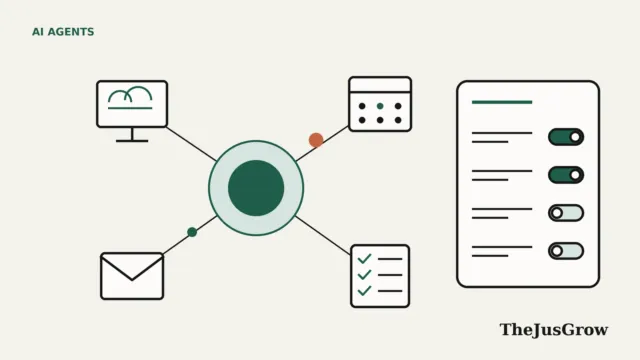
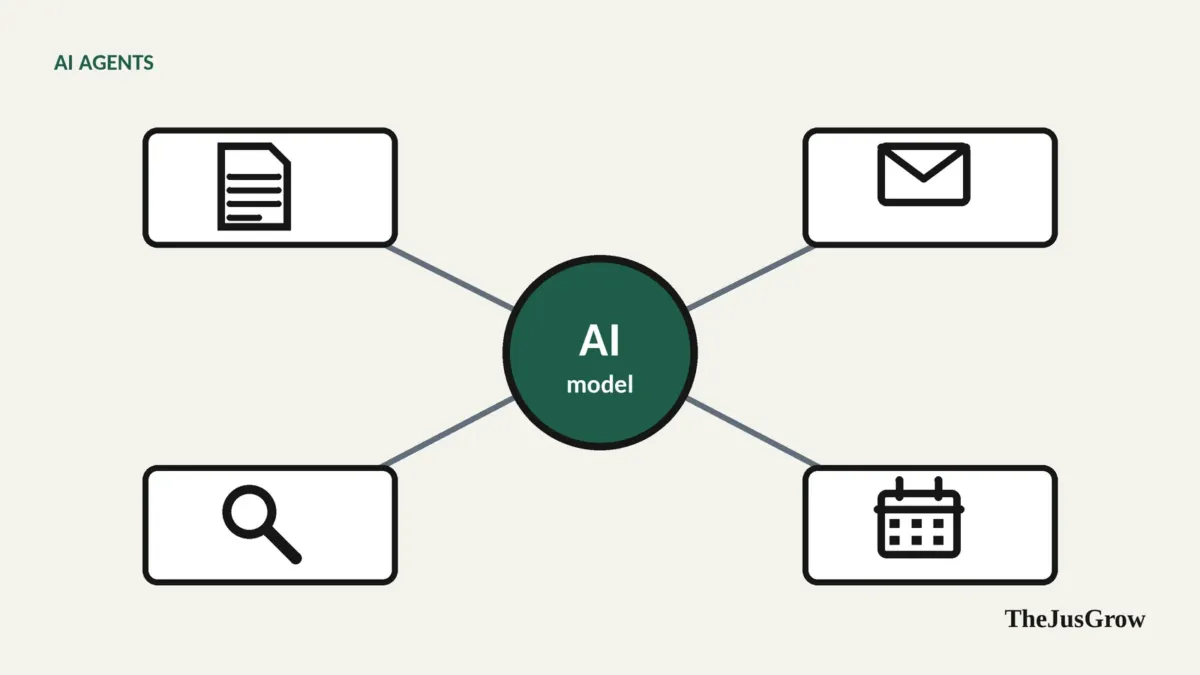
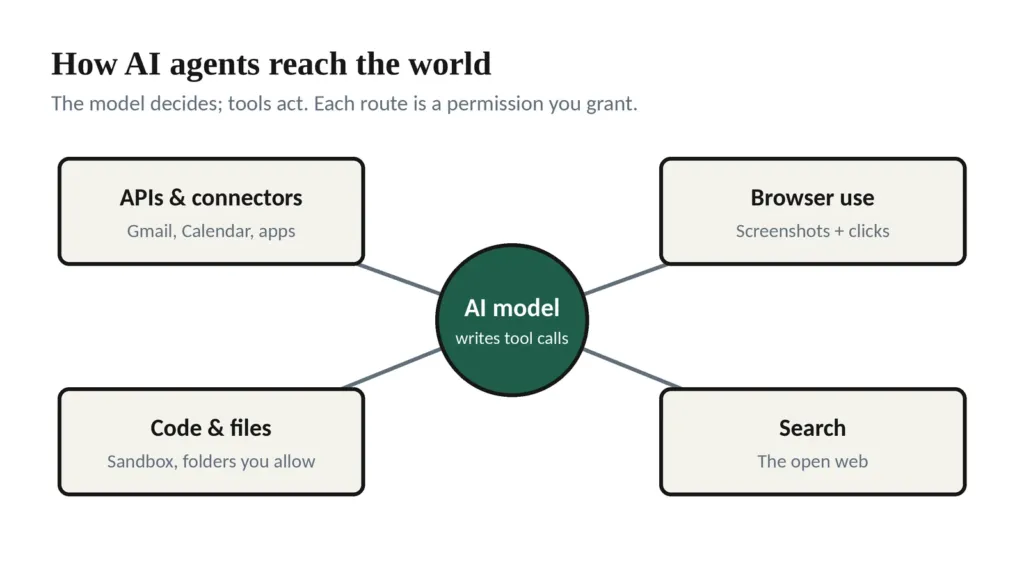
AI agents act by having the AI model produce structured tool calls (“search flights from LHR to JFK on 3 May”, “create calendar event at 3pm”) which surrounding software carries out and reports back on. Agents reach the world in three main ways: through APIs and app connectors (direct, structured links to services like Gmail or Google Calendar), through browser or computer control (looking at screenshots and clicking like a person), and through code and files. Each route needs permissions you grant.
It’s easy to imagine an AI agent as a robot sitting at a keyboard. The reality is more like a very capable manager who can’t touch anything directly, but can write precise instructions on slips of paper that a team of assistants carries out. Understanding who those assistants are, and what keys you’ve given them, explains most of what agents can and can’t do.
Step one: the model writes a tool call
A large language model on its own takes in text (and images) and produces text. Agent builders give the model a menu of tools, each with a name, a description and the details it needs. For example:
search_web(query)create_calendar_event(title, start_time, end_time)click(element)ortype(text)for a browser
When the model decides a tool would help, it produces a structured request, effectively, “call create_calendar_event with title ‘Dentist’, start 3pm Tuesday, end 4pm”. The software around the model runs that tool, then feeds the result back (“event created” or “error: time is in the past”). The model reads the result and decides what to do next.
This loop (decide, call a tool, read the result, decide again) is what makes an agent an agent. The model never touches your calendar itself; it asks, and the tool acts. That’s why permissions matter so much: they define which tools exist and what they’re allowed to do.
Route 1: APIs, the front door
An API (application programming interface) is a service’s official way for software to talk to it. If a website is a restaurant dining room designed for humans, the API is the kitchen’s order window designed for other software: structured, fast and precise.
When an agent uses Google Calendar through its API, it doesn’t look at the calendar page at all. It sends a structured request and gets structured data back. This is:
- Reliable, because nothing depends on page layouts or pop-ups.
- Fast, because there’s no page to load and read.
- Controlled, because the service decides what the API allows and requires authorisation.
The limitation: only services that offer an API, and allow the agent’s maker to use it, can be reached this way.
Route 2: connectors, plugins and MCP
Most people never deal with APIs directly. Instead, AI apps package them as connectors (also called apps, plugins, extensions or integrations). When you click “Connect Gmail” in an AI app, you’re authorising that app to use Gmail’s API on your behalf. OpenAI’s product page for ChatGPT Work says more than 1,400 plugins are available.
Because every AI company used to build its own connectors, the industry has converged on shared standards. The most important is the Model Context Protocol (MCP), introduced by Anthropic in November 2024 as an open way for AI applications to connect to tools and data sources. It was adopted widely across the industry, and in December 2025 Anthropic donated it to the newly formed Agentic AI Foundation under the Linux Foundation, co-founded with OpenAI and Block. For you, MCP mostly means that a connector built for one AI app is more likely to work with another.
A related standard, Google’s Agent2Agent (A2A) protocol, focuses on how different AI agents talk to each other rather than to tools.
What “connecting” actually grants
When you connect an app, you usually see a consent screen: “[AI app] wants to: read your email, send email on your behalf, see your calendar…“. These are called scopes, and they’re the most important thing on the screen. A connector that can only read is far less risky than one that can send, delete or share. If the scopes seem broader than the task needs, don’t approve, or look for a narrower option.
You can review and remove these grants later in your Google, Microsoft or Apple account’s security settings, under third-party or connected apps.
Route 3: browser and computer use, the side door
When there’s no API or connector, agents can use a website the way you do: by looking at it and clicking. This is often called browser use or computer use.
In simplified form:
- The agent takes a screenshot of the page (and often reads the page’s underlying structure too).
- The model works out what’s on screen, a search box here, a “Book now” button there.
- It issues an action: click at this spot, type this text, scroll down.
- It takes another screenshot to see what happened, and repeats.
OpenAI’s help documentation for its former agent mode described exactly this: the agent used screenshots of its virtual browser window to “see” and interact with pages.
Browser use is powerful because it works on almost any website. It’s also:
- Slower, since every step involves looking at a page.
- Fragile, because redesigns, pop-ups, cookie banners and CAPTCHAs get in the way.
- Riskier, because the agent reads whatever is on the page, including text planted to manipulate it (prompt injection).
- Sometimes unwelcome, because many sites use bot detection, and some prohibit automated agents in their terms. eBay, for example, updated its user agreement in 2026 to prohibit “buy-for-me” agents.
Where that browser lives also matters: a remote browser on the provider’s servers starts without your logins, while an agent running in your own browser can reach every site you’re signed into.
Route 4: code and files
Many agents can also write and run small programs in a sandbox (for calculations, data analysis or file conversion) and read or create files. Desktop apps from OpenAI and Anthropic can, with your permission, work with folders on your computer. This is how an agent turns a pile of receipts into a spreadsheet or renames a hundred files. As always, grant access to the specific folder, not your whole drive.
How logins work without sharing your password
Good agent designs avoid ever seeing your password:
- Connectors use OAuth, the “Sign in with Google > Allow” flow. You sign in directly with the service, which gives the AI app a limited, revocable token. The AI app never sees your password.
- Browser agents hand control back to you at login screens. You type the password into the website directly, then return control.
- Payments use saved methods such as Google Pay or your Amazon wallet, rather than card numbers in a chat.
If an agent, or anything pretending to be one, asks you to type a password or card number into a chat, stop.
Why this matters for you
Knowing the routes helps you predict how an agent will behave:
| Route | Typically | Watch out for |
|---|---|---|
| API / connector | Fast, reliable, structured | Broad permission scopes you approved and forgot |
| Browser / computer use | Works almost anywhere, slower | Pop-ups, CAPTCHAs, blocked sites, prompt injection |
| Code and files | Great for data and documents | Access to more folders than needed |
When an agent fails at a task, it’s often because it’s using the side door (a browser) where no front door (an API) exists. When an agent does something you didn’t expect, it’s often because a permission you granted was broader than you realised.
For the safety side of all this, see are AI agents safe to use?; for the bigger picture, what AI agents are.
Key takeaways
- The AI model only writes structured tool calls; separate software carries them out.
- APIs and connectors are the reliable “front door”; browser control is the flexible but fragile “side door”.
- MCP, created by Anthropic and now under the Linux Foundation’s Agentic AI Foundation, is the main shared standard for connecting AI apps to tools.
- Consent screens list scopes, approve only what the task needs, and review grants regularly.
- Good agents never need your password in chat: they use OAuth, hand-over at login, and saved payment methods.
How AI agents use tools: FAQs
No, and a well-built agent should never ask for it in chat. Agents use OAuth sign-in screens, hand the browser back to you at login, or rely on saved payment methods.
An API is a direct, structured connection to a service, so it is reliable and fast. Browser control means the agent looks at screenshots and clicks like a person, which works on more sites but breaks more easily.
The AI model writes a structured request, such as create an event at 3pm, and separate software sends it to the service through an API or connector. The software then reports the result back to the model.
Sources
- Anthropic, “Donating the Model Context Protocol and establishing the Agentic AI Foundation” (December 2025)
- Linux Foundation, “Linux Foundation Announces the Formation of the Agentic AI Foundation”
- Model Context Protocol blog, “MCP joins the Agentic AI Foundation” (9 December 2025)
- Google for Developers, “Announcing the Agent2Agent Protocol (A2A)” (April 2025)
- OpenAI Help Center, “ChatGPT agent” (screenshots and takeover)
- OpenAI, ChatGPT Work product page (plugins)
- The Register, eBay bans “buy-for-me” agents (22 January 2026)