Alexa for Shopping and ‘Buy for Me’, Explained: What Amazon’s AI Can Buy on Your Behalf
Amazon replaced Rufus with an agent that can track prices, auto-buy at a target price and check out on other retailers' sites. Here's how it works, and the settings worth thinking about before you let it spend.

Alexa for Shopping and Buy for Me: the short answer
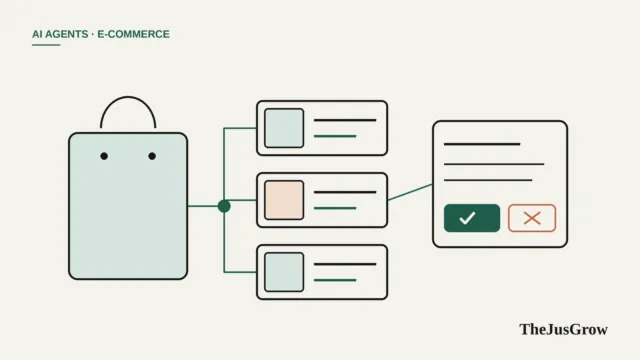
Alexa for Shopping is Amazon’s AI shopping assistant, built into the search bar of the Amazon app and website for signed-in US customers since May 2026. It answers product questions, compares items, shows up to a year of price history, and can automatically buy an item when it hits a price you set. Its Buy for Me feature can complete purchases from other retailers’ websites using your Amazon payment and shipping details. It’s free, no Prime or Echo device required.
On 13 May 2026, Amazon retired Rufus, the shopping chatbot it launched in 2024, and replaced it with Alexa for Shopping. The difference isn’t just the name. Rufus answered questions in a side panel most people ignored. Alexa for Shopping sits in the main search bar, generates summaries at the top of results, and can act, not just answer.
That makes it one of the most widely available AI shopping agents in the world, at least in the US. It also means millions of people now have a one-tap way to let software spend their money.
What Alexa for Shopping can do
Based on Amazon’s announcement and its how-to guide, the assistant’s main abilities are:
| Feature | What it does | Worth knowing |
|---|---|---|
| AI overviews | Summaries above search results and on product pages | Generated from listings, reviews and Q&A, and results can include sponsored products |
| Comparisons | Select several products and compare them side by side | Useful for spotting differences in specs buried in listings |
| Price history | Shows 30-, 90- and 365-day price history | Amazon says this covers “hundreds of millions” of products |
| Price alerts and auto-buy | Watches a price and alerts you, or buys, when it hits your target | Uses your default payment method |
| Scheduled actions | Recurring purchases or conditional ones, such as adding to cart if a price drops | Set up in plain language |
| Cart building | “Add my regular dog treats” searches your order history and adds items | Handy for re-orders |
| Buy for Me | Completes a purchase on another retailer’s site for eligible products | Uses your Amazon payment and shipping details |
It works in the Amazon Shopping app, on Amazon.com and on some Echo Show devices, and Amazon says any signed-in customer can use it for free.
How auto-buy at a target price works
This is the genuinely agentic part. You can say things like:
Buy these headphones when they’re 30% off.
or
Add this sunscreen to my cart if the price drops to $10.
Amazon’s guide says the assistant “will regularly check prices and alert you, or complete your purchase using your default payment method, when the item reaches your price target.”
Notice the two options: alert or purchase. The wording you use matters. “Tell me when…” and “add to my cart if…” leave the final decision with you; “buy when…” doesn’t.
Amazon’s public guide doesn’t spell out per-purchase confirmations or spending caps for auto-buy, so we’d treat it conservatively until you’ve seen how it behaves on your account.
How Buy for Me works
Buy for Me extends Amazon’s reach beyond its own store. When you search for something Amazon doesn’t sell but a partner retailer does, eligible products show a Buy for Me button. Amazon says tapping it has Amazon “complete the purchase from the merchant’s store on your behalf using your Amazon payment and shipping details.”
Two practical consequences:
- The other retailer is the seller. Delivery, returns and warranty issues are generally handled by that store, under its policies, not Amazon’s.
- Your details go to that retailer. Your name, shipping address and payment are used to place an order with a business you may never have dealt with before.
It’s a convenient feature, and a very different transaction from buying on Amazon itself.
Is it neutral?
No, and it doesn’t claim to be. Alexa for Shopping is Amazon’s assistant, running inside Amazon’s store, and sponsored products appear in its results. That doesn’t make it useless, the price history alone is valuable, but it’s worth remembering the assistant works for the shop. For independent comparison across retailers, see our guide to whether AI agents can find better prices.
Sensible settings and habits
Prefer alerts over auto-buy at first. Use “tell me when” for a few weeks. Move to “add to cart when” once you trust the tracking. Save “buy when” for low-cost, routine items.
Check your default payment method. Auto-buy uses it. A credit card generally offers stronger protection than a debit card if something goes wrong.
Review scheduled actions regularly. A price watch you set in spring may still be live in autumn, after you’ve bought the item elsewhere.
Check the seller on Buy for Me orders. Look at which store is actually fulfilling the order and read its return policy before you tap.
Watch the total, not the headline. Shipping and taxes may differ between Amazon and a partner retailer.
Mind voice purchasing at home. On an Echo Show, anyone in the room can talk to Alexa. Amazon offers voice-purchase settings, including a confirmation code, in the Alexa app, worth turning on in a shared home.
Who it’s for, and who should skip auto-buy
Great for: regular Amazon shoppers in the US who want price history and fewer tabs; anyone re-ordering household basics; bargain hunters willing to wait for a target price.
Be cautious if: you share an Amazon account or an Echo with family, you use a debit card as your default, or you tend to set and forget alerts.
Not available: outside the US at the time of writing. Check Amazon’s site in your country for its current assistant.
For the wider picture (Google’s and OpenAI’s approaches, and which stores block AI shoppers) read AI shopping agents: how they work.
Key takeaways
- Alexa for Shopping replaced Rufus in the US in May 2026 and is free for signed-in Amazon customers.
- It shows 30-, 90- and 365-day price history and can alert you or auto-buy at a target price.
- Buy for Me completes purchases on other retailers’ sites using your Amazon payment and shipping details; that retailer is the seller.
- Start with alerts, check your default payment method, and review scheduled actions regularly.
Alexa for Shopping and Buy for Me: FAQs
Yes. Amazon says it is free for signed-in US customers, with no Prime membership or Echo device needed. It replaced Rufus in the US in May 2026.
Buy for Me completes the purchase on another retailer’s website using your Amazon payment and shipping details. That retailer is the seller, so returns and support go through it.
Start with price alerts instead. If you use auto-buy, set a firm target price, check your default payment method and review scheduled actions regularly.
Sources
- Amazon, “Meet Alexa for Shopping, your personalized, agentic AI assistant on Amazon” (13 May 2026)
- Amazon, “How to use Alexa for Shopping to compare products, check price history, auto-buy items at target prices, and more” (updated September 2026)
- CNBC, “Amazon ditches Rufus chatbot, launches Alexa shopping agent in AI strategy pivot” (13 May 2026)