Muse for Mac: What Meta’s AI Agent Can Do on Your Computer
Meta’s Muse agent now runs on the Mac and can use your apps, files and messages. Here is what it can access, how its permissions work, and what the security flaw patched in September means for users.


Meta Muse for Mac: the short answer
Muse for Mac, launched on 18 September 2026, lets Meta’s AI agent work with your files, Mail, Messages, Calendar and Notes, and, since Meta’s Connect event on 24 September, drive any app on your Mac with your permission. Access is opt-in and Meta says it asks before sensitive actions. A security flaw found by researcher Patrick Wardle was patched on 22 September, so make sure the app is up to date.
When Meta launched Muse on 8 September, it lived on phones, the web and WhatsApp, working inside its own cloud computer. Ten days later it arrived on the Mac, and that changes the picture. An agent on your desktop can reach your own files, messages and apps, not just the websites and services you connect to it.
This article explains what Muse for Mac does, how Meta says its permissions work, and what happened with the security flaw reported in its first week. It is based on Meta’s announcements, Meta’s security documentation and news reporting, checked in September 2026. TheJusGrow has not used Muse for Mac for this article. For the basics of Muse itself, see our Muse explainer.
What is Muse for Mac?
Muse for Mac is a desktop version of Meta’s personal AI agent. TechCrunch reported on 18 September that it can work with files, Messages, Calendar, Notes and Mail on your Mac, and quoted Meta saying: “you’re in control of what it can access, and it always asks before doing anything sensitive.”
At its Connect event on 24 September, Meta went further. It said computer use is now available in Muse for Mac, so that “with your permission, Muse can now drive any app on your Mac”. Meta adds that you can walk away and it keeps working on tasks you have lined up. Meta describes the Mac app as able to manage messages, find old files and help you get work done.
According to MarkTechPost, the Mac app is US-only for now and free to use, with a weekly usage allowance. TechCrunch reports that the app is downloaded from Meta’s own website.
How does it work with Muse’s cloud computer?
Muse normally runs on what Meta calls a dedicated virtual machine: a private computer in Meta’s cloud, isolated from other users. MarkTechPost describes the Mac app as a hybrid: a local app interacts with your computer, while the agent’s processing happens in that cloud machine.
That matters for privacy. When Muse works with a file on your Mac, some of that information travels to Meta’s cloud to be processed. Meta says Muse doesn’t share your conversations or VM data with its ad systems. It is also working on a Muse Confidential VM to keep data private “even from Meta”, but that has not launched yet.
What can it access, and who decides?
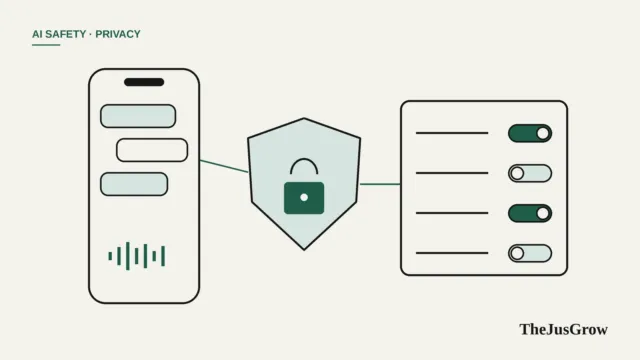
Meta and the reporting it has prompted describe an opt-in model:
| Area | What Meta and reporters describe |
|---|---|
| Files | Can find and work with files you allow; MarkTechPost reports Full Disk Access is optional |
| Mail, Messages, Calendar, Notes | Can read and act in these apps once permitted |
| Other apps | Since Connect, can “drive any app” with your permission |
| Sensitive actions | Deleting files or sending messages require your approval, MarkTechPost reports |
| Changing access | Permissions can be changed in Settings at any time |
Our advice is to grant the narrowest access that gets the job done. Giving an agent your whole disk is rarely necessary, and macOS lets you review app permissions in System Settings under Privacy & Security.
What was the security flaw?
On 21 September, Mac security researcher Patrick Wardle disclosed a vulnerability in Muse for Mac. According to Gizmodo and eSecurityPlanet, it involved a developer setting in the app’s dictation feature. Malicious software already running on a Mac could have abused it to intercept Muse’s authentication tokens and potentially take control of the assistant, including whatever access the user had given it.
Meta issued a fix shortly after midnight on 22 September, Gizmodo reported. David Singleton of Meta Superintelligence Labs said: “This was a local privilege escalation attack, not a remote exploit.” He argued that the practical risk was “quite low” because an attacker would already need code running on the Mac. Wardle countered that attackers could use social-engineering tricks, such as persuading people to paste commands into their Mac’s Terminal, to get that foothold.
Separately, Reuters reported on 25 September, citing The Information, that Meta was adding a clearer safety warning inside Muse after an outside researcher found a flaw that could have let attackers reach users’ virtual machines, including emails and files. Reuters said the report did not make clear whether that issue had been fixed, and Meta did not comment to Reuters.
What should Mac users do now?
The Mac flaw was patched quickly, but it is a reminder that an agent with wide access is an attractive target. Sensible steps, drawn from the advice in the security coverage and general good practice:
- Update Muse. Make sure you are running the latest version of the Mac app.
- Never paste Terminal commands from websites or messages. This common scam technique is exactly how an attacker could get the foothold the Muse flaw needed. Our guide to AI agent scams covers similar tricks.
- Trim permissions. Remove access to apps and folders Muse doesn’t need.
- Keep approvals on. Don’t loosen defaults for messages, deletions or purchases.
- Watch it work at first. Before you leave Muse running on its own, supervise a few tasks and review its activity afterwards.
Is it worth trying?
For people who spend their day juggling Mail, Messages and files, an agent that can find an old document or draft replies across apps is appealing, and Meta is moving fast. As Mark Zuckerberg put it, in a remark quoted by MarkTechPost, “the team is shipping fast.”
Speed has trade-offs. In its first week, Muse for Mac already needed a security fix, and Meta itself says in its security documentation that Muse “isn’t immune to attack”. If you try it, start with low-stakes tasks on a Mac that doesn’t hold your most sensitive work, and read our checklist of Muse privacy settings before connecting anything. For the wider risks of desktop agents, see are AI agents safe?.
Key takeaways
- Muse for Mac launched on 18 September 2026 and can work with files, Mail, Messages, Calendar and Notes; since 24 September it can drive any Mac app with permission.
- Access is opt-in, and Meta says sensitive actions such as sending messages or deleting files need your approval.
- Processing happens in Meta’s cloud, so information Muse reads on your Mac is sent there.
- A flaw found by researcher Patrick Wardle was patched on 22 September; Meta called the practical risk low.
- Update the app, trim permissions, and never paste Terminal commands from websites or messages.
Muse for Mac: FAQs
It can be, if the app is up to date and you grant only the access you need. A flaw found by researcher Patrick Wardle was patched on 22 September 2026, and Meta called the practical risk low.
No. Processing happens in Meta’s cloud, so information Muse reads on your computer is sent there.
Since 24 September 2026 it can drive any app, but only with your permission, and Meta says sensitive actions such as sending messages or deleting files need approval.
Sources
- TechCrunch, “Meta’s Muse hits Mac, letting the AI take actions on your computer” (18 September 2026)
- MarkTechPost, “Meta Launches Muse for Mac” (19 September 2026)
- Meta, “Everything We Announced at Meta Connect 2026” (24 September 2026)
- Gizmodo, “Meta Just Patched a Major Zero-Day Vulnerability in Its Muse AI Assistant” (22 September 2026)
- eSecurityPlanet, “Meta Muse Flaw Exposed Mac Users: Malware Could Hijack the AI Agent” (September 2026)
- Reuters via KSL.com, “Meta bolsters Muse safety warning after security vulnerability found, The Information reports” (25 September 2026)
- Meta AI Research, “Security and safety for AI agents: our approach with Muse” (8 September 2026)