Custom GPTs are being retired: what ChatGPT plugins are and what to do before December 11
OpenAI is replacing custom GPTs with plugins on every ChatGPT plan. Here's the timeline, what migrates and what doesn't, and what to do whether you build GPTs or just use them.

In this article
- What exactly is happening to custom GPTs?
- Key dates for the custom GPTs shutdown
- What is a ChatGPT plugin?
- What carries over from custom GPTs, and what doesn’t?
- If you only use other people’s GPTs
- If you built GPTs: a migration checklist
- Who is most affected?
- What does this say about where ChatGPT is heading?
- What we’d double-check before December
- Custom GPTs being retired: FAQs
- Sources
Short answer OpenAI is retiring custom GPTs across all ChatGPT plans on December 11, 2026, and replacing them with plugins: packages of reusable instructions, reference files and connected apps. Creators can migrate a GPT’s instructions, knowledge files and connected apps into a plugin, but custom actions, the chosen model, sharing settings and past conversations don’t carry over. If you only use other people’s custom GPTs, you can’t migrate them yourself; watch for the creator’s replacement.
Custom GPTs have been one of ChatGPT’s best-known features. In short, a GPT is ChatGPT with a saved set of instructions, a few reference files and sometimes a connection to another service, packaged as a mini-assistant for one job: a recipe planner, a lesson-plan helper, a company style guide, a trip organiser. Many people use GPTs that someone else built and shared.
On September 11, 2026, OpenAI announced that custom GPTs are being retired, with what it calls “a migration path to plugins.” This explainer covers what is changing, the dates, what survives the move and what doesn’t, and what you should do depending on whether you build GPTs or simply use them. It’s based on OpenAI’s help documentation and release notes as of September 2026. Dates and details may shift, so check the official FAQ linked at the end before making decisions that depend on them.
What exactly is happening to custom GPTs?
According to OpenAI’s retirement FAQ, custom GPTs are “scheduled to retire on Dec 11, 2026,” and the change “affects all ChatGPT plans.” In the meantime, existing GPTs keep working. After a creator migrates a GPT to a plugin, the original becomes read-only but remains available until the retirement date.
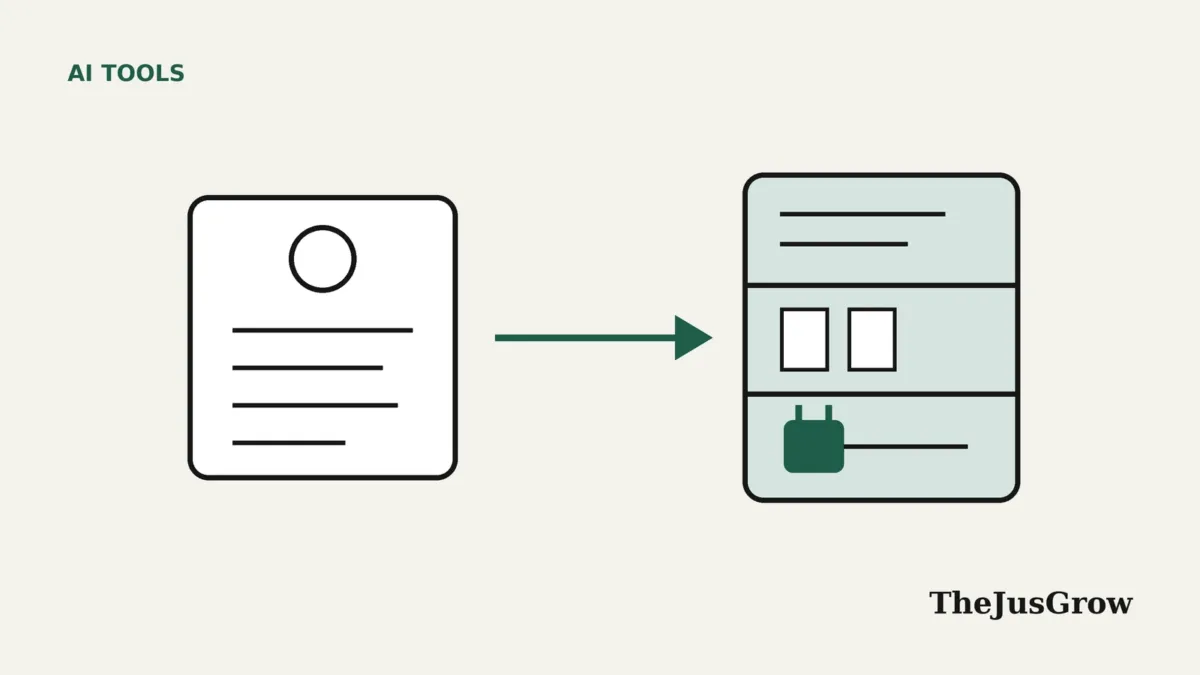
OpenAI’s stated rationale is that plugins offer “reusable instructions, reference files, and connected apps” that work alongside ChatGPT’s other tools. In plain terms: rather than having one system for GPTs and another for connected apps and skills, OpenAI is folding them into a single format.
Key dates for the custom GPTs shutdown
| Date | What happens (per OpenAI’s FAQ) |
|---|---|
| September 11, 2026 | Retirement announced; Enterprise admins notified |
| September 22, 2026 | Target launch for the migration experience and in-product banner |
| October 26, 2026 | Creation of new custom GPTs ends (listed in OpenAI’s Enterprise timeline) |
| December 11, 2026 | Custom GPTs retire on all plans |
| February 11, 2027 | Later retirement date for Enterprise workspaces with an approved deferral only |
Still, one detail to watch: OpenAI’s FAQ lists the October 26 creation cut-off in its Enterprise timeline and doesn’t spell out a separate date for Free, Go, Plus or Pro accounts. Mixed, a technology news site, reported on September 18 that personal accounts had already lost the ability to create or publish new GPTs. If you’re a personal-plan creator, check what your own account allows today rather than relying on October 26.
What is a ChatGPT plugin?
OpenAI’s help centre describes plugins as a way to help ChatGPT and Codex “complete workflows by packaging reusable instructions, connected tools, and other capabilities.” A plugin can contain:
- Skills: “instructions and workflow guidance.” This is where a GPT’s instructions end up.
- Connected apps: links to external accounts, information and actions, such as a calendar or a file store.
- App templates: for administrators setting up apps across a workspace.
You install a plugin from the Plugins section by reviewing it and selecting “Install plugin.” If it includes a connected app, installing may start a sign-in or permission flow. OpenAI notes that installing a plugin doesn’t bypass the permissions of the service it connects to.
In practice, a plugin is closer to a bundle of a GPT’s instructions, the files it relies on, and the apps it needs, in one installable package. Overall, it’s a similar idea to the “skills” and connector standards emerging across the industry, which we explained in our guide to the Model Context Protocol.
What carries over from custom GPTs, and what doesn’t?
Above all, this is the part that matters most for anyone who built something on a GPT. OpenAI’s FAQ is specific:
| Part of your GPT | After migration |
|---|---|
| Instructions | Carried over, becoming a plugin skill |
| Knowledge files | Carried over as reference files |
| Connected apps | Carried over as plugin apps |
| Custom actions (calls to outside services) | Not carried over; need rebuilding |
| Selected model | Not carried over |
| Sharing settings | Not carried over; a migrated personal plugin starts private |
| Past conversations with the GPT | Not moved into the plugin |
| Unpublished drafts | Must be published before the cut-off to migrate |
Two items deserve emphasis. First, custom actions. In other words, these let a GPT talk to an outside service, such as a booking system or a company database. OpenAI says features that depend on them “will not work in the plugin until you set up a replacement.” If your GPT’s value came from an action, migration alone won’t preserve it.
Second, sharing. OpenAI says migration doesn’t give a GPT’s existing users access to the replacement, and a migrated personal plugin “starts private.” If you built a GPT that others rely on, they won’t automatically follow you; you’ll need to share the plugin again and tell them where it is.
OpenAI also recommends testing replacements before relying on them. After all, a migrated plugin runs through a different system, and may not answer in exactly the same way as the GPT it came from.
If you only use other people’s GPTs
Most ChatGPT users never built a GPT. They found one in the GPT store, or a colleague or teacher shared a link. For you, the FAQ is clear: “You do not need to migrate a GPT you only use, and permission to use it does not let you migrate it yourself.”
What that means in practice:
- Make a list of the GPTs you rely on. Check your sidebar and recent conversations. Note what each one does for you.
- Look for a notice from the creator. OpenAI says to check the notice on the GPT and any guidance about a replacement.
- Save anything you need from past chats. OpenAI says GPT conversations aren’t moved into plugins. Its FAQ doesn’t say whether those conversations stay viewable after December 11, so copying out important answers now is the cautious option.
- Have a fallback. If a GPT you depend on has no replacement by late November, write down the instructions it seemed to follow and recreate the essentials in a ChatGPT Project or a saved prompt.
In fact, that last step is easier than it sounds. Many popular GPTs are mostly a well-written set of instructions. If you know what the GPT did (the tone, the format, the questions it asked first), you can often reproduce 80% of it in a few paragraphs. Our guide to writing good instructions for an AI agent walks through how.
If you built GPTs: a migration checklist
OpenAI’s FAQ lays out steps for creators. Combined with the table above, a sensible order is:
- Inventory. List every GPT you created, who uses it, and whether it relies on actions or specific files.
- Export what you can. Copy the instructions into a document and make sure you have the original knowledge files.
- Save test prompts. OpenAI suggests this. Write five to ten questions that represent what the GPT is for, and record the answers it gives now. After migration, run the same prompts and compare.
- Publish drafts. Unpublished drafts can’t migrate. OpenAI says publishing doesn’t need to be public; it just has to be published.
- Migrate from “My GPTs.” OpenAI says the migration option appears there once it’s available for your account.
- Rebuild actions. Plan how you’ll replace any custom action, for example through a connected app.
- Re-share. Share the new plugin with the people who used the GPT, and put a note on the old GPT pointing to it.
If you’re in a Business or Enterprise workspace, speak to your administrator. OpenAI’s plugin documentation says admins control whether plugins are available or installed automatically, and some organisations will want to manage the move centrally. Creating plugins with OpenAI’s “Plugin Creator” is described as available in supported Business and Enterprise workspaces; OpenAI’s documentation doesn’t yet say plainly whether individual Plus or Pro users can build plugins from scratch in the same way.
Who is most affected?
| You are… | How much this matters | What to do first |
|---|---|---|
| An occasional user of one or two public GPTs | Low | Note which ones you use; wait for replacements |
| A student or teacher using a shared class GPT | Medium | Ask whoever shared it what the replacement will be |
| A small business using a GPT for customer replies or internal docs | High | Save instructions and test prompts now; plan re-sharing |
| A creator whose GPT uses custom actions | High | Plan the rebuild; actions don’t migrate |
| An Enterprise admin | High | Check notices and deferral eligibility |
What does this say about where ChatGPT is heading?
This is editorial analysis rather than anything OpenAI has said directly. The retirement fits a wider pattern: ChatGPT is shifting from a chat window with optional add-ons towards an agent that installs capabilities, connects to your accounts and carries out multi-step work. OpenAI’s release notes over the same weeks mention plugins gaining voice support, multiple account connections per plugin and a plugin-based Health feature. GPTs were designed for a simpler, text-only era.
For users, the upside is one consistent system instead of several overlapping ones. The downside is disruption: things people built and shared will need rework, and some GPTs will simply disappear if their creators have moved on. It’s a reminder that tools built on a single platform can change under you, and it is worth keeping your own copy of anything important, whether that’s instructions, files or answers. Our explainer on ChatGPT Work covers another part of the same shift.
What we’d double-check before December
Because this is a moving target, a few things are worth re-checking in OpenAI’s FAQ in November:
- whether the migration option has reached your account;
- whether GPT conversations remain readable after retirement;
- whether plugin creation is open to personal plans;
- any change to the December 11 date.
Key takeaways
- Custom GPTs retire on December 11, 2026 across all ChatGPT plans; Enterprise workspaces with an approved deferral get until February 11, 2027.
- Plugins replace them, bundling instructions (as skills), reference files and connected apps.
- Custom actions, the chosen model, sharing settings and past conversations don’t migrate.
- If you only use someone else’s GPT, you can’t migrate it; look for the creator’s replacement and save anything important from past chats.
- Creators should publish drafts, save test prompts, migrate from “My GPTs” and re-share the new plugin.
Custom GPTs being retired: FAQs
OpenAI says custom GPTs are scheduled to retire on December 11, 2026 across all ChatGPT plans. Enterprise workspaces with an approved deferral have until February 11, 2027.
No. OpenAI says migration doesn’t move existing GPT conversations into the plugin. Copy out anything important before the retirement date.
No. OpenAI says permission to use a GPT doesn’t let you migrate it. Only the creator can, so check the GPT for a notice about a replacement.
Not automatically. OpenAI says GPT custom actions don’t transfer, and features that rely on them won’t work until a replacement is set up.
Sources
- OpenAI Help Center, “Custom GPT retirement and migration FAQ” (September 2026)
- OpenAI Help Center, “Plugins in ChatGPT and Codex” (September 2026)
- OpenAI Help Center, “ChatGPT — Release Notes” (September 11, 2026 entry and later)
- Mixed, “OpenAI is retiring custom GPTs, here’s what carries over to plugins” (September 18, 2026)
- GSMDome, “OpenAI to Retire Custom GPTs on December 11, 2026, Shifting Users to Plugins and Skills” (September 2026)