Microsoft Execution Containers explained: can AI agents run safely on your PC?
Microsoft’s new MXC sandboxes let Windows, not the AI agent, decide which files and websites an agent can touch. Here is what is available now and what it means for your PC.

In this article
- What are Microsoft Execution Containers?
- Who announced MXC, and when?
- How do Microsoft Execution Containers work?
- Is MXC available now, and on which PCs?
- What Microsoft Execution Containers mean for your PC
- How MXC compares with other ways to fence in an agent
- Limitations and risks of Microsoft Execution Containers
- Who should care, and who can ignore it?
- A quick checklist before you run an agent on Windows
- Microsoft Execution Containers: FAQs
- Sources
Microsoft Execution Containers: the short answer
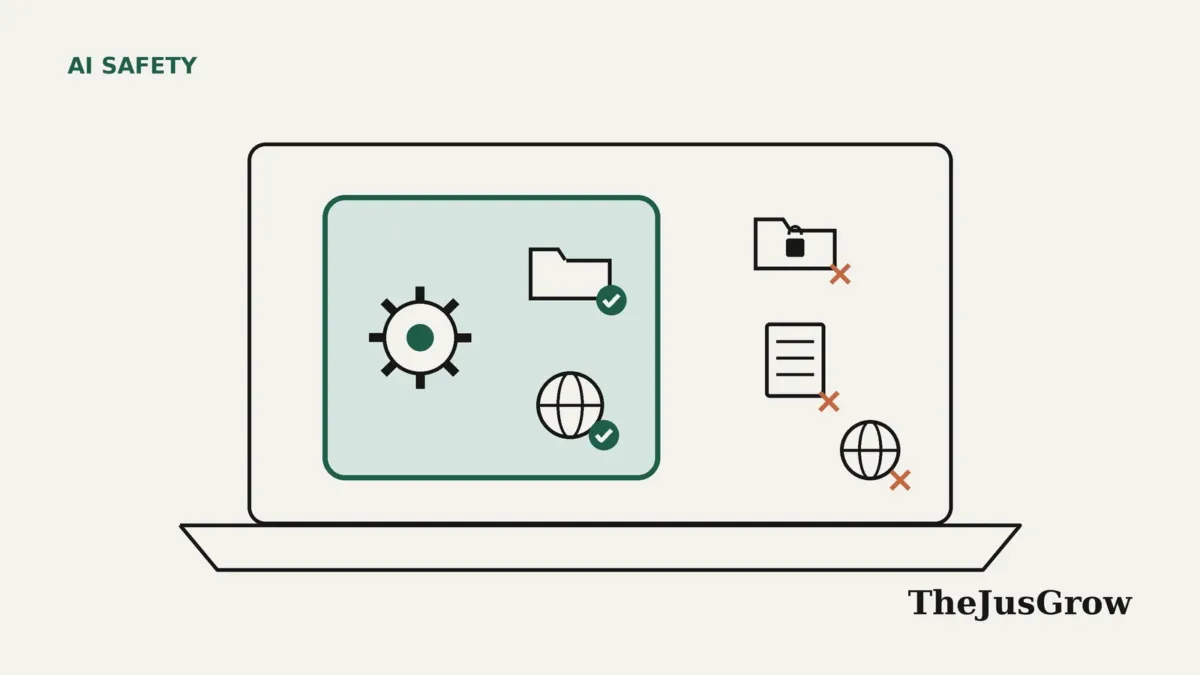
Microsoft Execution Containers (MXC) are sandboxes that AI apps can use to fence in an agent on Windows 11. The app declares which files, websites and screen access the agent needs, and Windows blocks everything else. Microsoft made MXC generally available on 7 October 2026. You do not switch it on yourself; instead, it works inside agents that adopt it, such as GitHub Copilot and OpenAI Codex.
AI agents are useful because they can act on your computer: they open files, run commands and browse the web. However, that same power is what makes people nervous. Microsoft Execution Containers are Microsoft’s answer to a simple question many Windows users now ask: can I let an agent work on my PC without handing it the keys to everything?
This explainer covers how Microsoft Execution Containers work, what is available as of October 2026, and where the protection stops. It separates company claims from our own judgement.
What are Microsoft Execution Containers?
In Microsoft’s words, MXC is “a policy-driven execution layer for untrusted code or dynamically generated workloads.” In everyday terms, it is a fence that an app builds around an AI agent, or around the code that agent writes, before letting it run.

The app lists what the agent legitimately needs. For example, a coding agent might need one project folder and no internet. Windows then enforces that list while the agent runs. If the agent tries to open your Documents folder or contact an unknown server, the container blocks the attempt.
The key design choice is where the rules live. According to the Windows Developer Blog announcement, “the policy remains outside the agent workload’s control, so the agent or generated code cannot grant itself additional access.” As Microsoft puts it, “An agent cannot be its own security authority.”
Under the hood, Microsoft Execution Containers ship as a software development kit (SDK) that developers build into their apps, published as open-source code on GitHub.
Who announced MXC, and when?
Microsoft first showed MXC at its Build developer conference. On 2 June 2026, the Windows Developer Blog announced “an early preview” of the SDK as part of a wider plan for agent security on Windows. At that point, stronger isolation options were still on the roadmap.
Then, on 7 October 2026, Microsoft declared MXC generally available. Two posts went live together. Pavan Davuluri, Executive Vice President for Windows and Devices, wrote in a Windows Experience Blog post that MXC “becomes generally available on Windows 11.” Meanwhile, a companion developer post explained the technical details. The launch shared a stage with the Surface Laptop Ultra.
Microsoft Execution Containers are about four months old as an idea, but general availability is only a week old.
How do Microsoft Execution Containers work?
Think of it as three parts working together: a written rulebook, a choice of container, and a mode that decides how strictly the rules apply.

The rulebook sits outside the agent
Each MXC policy covers five areas, according to Microsoft’s developer post:
- First, containment: which kind of isolated environment the agent runs in.
- Second, process: the command, settings and working folder used to start the agent.
- Third, file system: which folders it can change, which it can only read, and which are off limits.
- Network: incoming and outgoing connections, including links back to the PC itself.
- Finally, user interface: whether it can see or interact with your desktop.
Four kinds of Microsoft Execution Containers
Because agents differ, MXC offers several strengths of isolation. A process container is the lightest and runs on Windows 11, macOS and Linux. By contrast, a session container is Windows-only and runs the agent under a separate Windows account with its own desktop, clipboard and input. A WSL container provides a Linux environment on Windows 11. Finally, a MicroVM uses hardware-backed virtualisation for riskier work, although Microsoft still labels it experimental.
Learning before enforcing
Tight rules are hard to write up front, so MXC has three modes. Enforcement mode blocks anything outside the policy. Learning mode also blocks it, but records each attempt in a report. Permissive mode, on the other hand, allows the action and only logs it, which helps developers draft rules but provides no containment.
Is MXC available now, and on which PCs?
Here is the precise picture as of 14 October 2026, based on Microsoft’s own pages:
- Generally available: the MXC SDK on Windows 11, plus Windows 365 support for running contained agents on Cloud PCs.
- Also available: process, session and WSL containers on Windows 11, and process containers on macOS and Linux.
- Still experimental: MicroVM containers.
- Coming soon, with no date: Intune controls that let IT departments manage MXC process containers, and Microsoft Entra identity that separates agent activity from a person’s activity in Microsoft Agent 365.
Your PC also needs recent updates. Microsoft’s OS-version table lists process isolation from build 26100.9278 on Windows 11 24H2 and session isolation from build 26100.9550, which arrived with the August and September 2026 cumulative updates.
One discrepancy is worth flagging. Petri reported that MXC is “generally available for commercial customers.” However, Microsoft’s own posts do not limit it to businesses. Instead, they say individuals on personal PCs get these safeguards inside the agents they use, with the footnote “Windows Update required.”
What Microsoft Execution Containers mean for your PC
For most people, there is no setting for Microsoft Execution Containers. Instead, protection arrives inside the agent app, if its developer adopts the SDK. Microsoft says these agents already support MXC: GitHub Copilot, OpenAI Codex, OpenClaw, Replit, LM Studio, NVIDIA OpenShell and Unsloth AI.

Microsoft also names apps that “will be releasing support,” including Anthropic’s Claude Code, Box, Egnyte, Heidi Health, Hermes Agent, Manus, Perplexity, Raycast and Simular. In addition, Microsoft says Meta’s Muse personal agent is coming to Windows as a native app with MXC built in. Those are announcements, not shipped features, so check each app’s release notes before relying on them.
Support can also be partial. GitHub explains that, with sandboxing on, Copilot runs shell commands and local tool servers inside the boundary. Yet its own post admits that built-in file tools “aren’t OS-enforced child-process isolation,” and remote tool servers sit outside the local sandbox. In the Copilot app, a “Sandbox new sessions” toggle turns this on per project, while the command-line version uses a /sandbox command.
In our view, the practical gain is narrower blast radius. If an agent misreads an instruction or falls for a prompt injection attack, a well-written container limits how far the damage can spread.
How MXC compares with other ways to fence in an agent
Windows already had isolation tools before MXC. Here is how they differ, based on Microsoft’s documentation.
| Approach | What it isolates | Who sets it up | Status (October 2026) |
|---|---|---|---|
| MXC | An agent or its generated code, limited to named files, sites and screen access | The app developer, while IT will be able to add limits later | Generally available on Windows 11; MicroVM experimental |
| Windows Sandbox | A whole throwaway Windows desktop that vanishes when you close it | You, by launching it by hand | Available on Pro, Enterprise and Education; not on Home |
| Agent workspace | Copilot Actions, which runs under a separate agent account and Windows session | An administrator, through Settings | Preview for Windows Insiders, off by default |
| In-app permission prompts | Individual actions, although the agent itself enforces the rule | You, each time you click allow or deny | Varies by app |
The main difference is who enforces the rules. With MXC, Windows does. With in-app prompts, the agent does, which is why Microsoft argues agents need an outside boundary. For a refresher on those prompts, see our guide to AI agent permission settings.
Limitations and risks of Microsoft Execution Containers
Containment is useful, but it is not a guarantee. The main caveats:

- First, allowed access is still access. As eSecurity Planet notes, a container cannot stop a hijacked agent from misusing files or sites it may legitimately reach.
- Second, the policy is only as good as its author. Since developers write the rules, a lazy policy that grants a whole drive protects very little.
- Permissive mode offers no protection. Microsoft says it allows actions the policy would have denied.
- Next, coverage can be partial, as GitHub’s Copilot post shows.
- The Stack questioned enterprise readiness because Intune controls had no firm date at launch.
- Finally, Microsoft warns that each container type has distinct security properties.
MXC also does nothing about what an agent says, buys or sends on your behalf through approved channels. For the broader picture, read are AI agents safe?
Who should care, and who can ignore it?
MXC matters most to people who already let agents run code or touch files on a Windows PC, such as developers using Copilot or Codex and hobbyists running OpenClaw on an always-on mini PC.
On the other hand, if you only use chatbots in a browser, Microsoft Execution Containers change nothing for you today. Likewise, Mac users get only the lightweight process container, and Microsoft’s documentation lists no Windows 10 support.
Business buyers should watch the Intune and Entra pieces, which remain “coming soon.” For Copilot’s own agent, see our Copilot Autopilot explainer.
A quick checklist before you run an agent on Windows
- First, install the latest Windows 11 cumulative update, since MXC needs recent builds.
- Then check whether your agent app says it uses MXC or a sandbox, and read its release notes.
- Next, turn on the app’s sandbox option where one exists, such as Copilot’s “Sandbox new sessions.”
- After that, point the agent at one project folder rather than your whole user profile.
- Keep passwords and ID scans outside any folder an agent can reach.
- Finally, watch the first few runs, and treat any request for wider access as a reason to pause.
Key takeaways
- MXC lets Windows, not the agent, enforce which files, sites and screens an AI agent can use.
- Microsoft declared it generally available on Windows 11 on 7 October 2026, after a June preview.
- Consumers benefit only when their agent app adopts it, so there is nothing to switch on.
- However, MicroVMs remain experimental, and Intune and Entra controls are still coming.
- Ultimately, containment limits damage but cannot stop misuse of access an agent already has.
Microsoft Execution Containers: FAQs
It is short for Microsoft Execution Containers, which let apps run AI agents inside a boundary that Windows enforces.
No. There is no consumer setting for MXC itself. Protection comes from agent apps that build in the MXC SDK, although some apps, such as GitHub Copilot, offer their own sandbox toggle.
Microsoft says MXC is generally available on Windows 11 and that individuals on personal PCs get its safeguards through supporting agents. Its documentation lists builds rather than editions, so keep your PC fully updated.
Not on its own. It limits how far a hijacked agent reaches, but it cannot stop misuse of files or websites the agent may already use.
Sources
- Microsoft Windows Developer Blog, “Microsoft Execution Containers: Policy-driven containment for AI agents” (7 October 2026)
- Pavan Davuluri, Windows Experience Blog, “Building Windows for hybrid intelligence” (7 October 2026)
- Microsoft Windows Developer Blog, “Windows platform security for AI agents” (2 June 2026)
- GitHub, microsoft/mxc repository README (accessed 14 October 2026)
- MXC documentation, “Windows OS-version support” (accessed 14 October 2026)
- Patrick Nikoletich and Stuart Schaefer, “Bringing local models and sandboxed tools to Windows and GitHub Copilot” (7 October 2026)
- Microsoft Support, “Experimental Agentic Features” (accessed 14 October 2026)
- Microsoft Learn, “Windows Sandbox” overview (accessed 14 October 2026)
- Petri, “Microsoft Makes Execution Containers Generally Available for AI Agents” (8 October 2026)
- eSecurity Planet, “Microsoft Execution Containers for AI Agents Reach GA on Windows 11” (9 October 2026)
- The Stack, “Microsoft takes MXC, its agent management layer, GA” (9 October 2026)